

Convincing the Team Lead: The Power of Server-Driven UI
Hello, my name is Andrey Goncharov, and I’m a Frontend Developer at Mish Product Lab. Today we’ll take a close look at what Server/Backend-Driven UI is, how it works, and why it matters.
What Is a Backend-Driven UI?
Backend-Driven UI (also called Server-Driven UI) is an approach to building applications where the backend controls not only the data but also how the interface looks. For example, in a frontend app, BDUI defines the layout.
There are different levels of how deeply this concept can be integrated into a frontend application. Think of it as a spectrum.
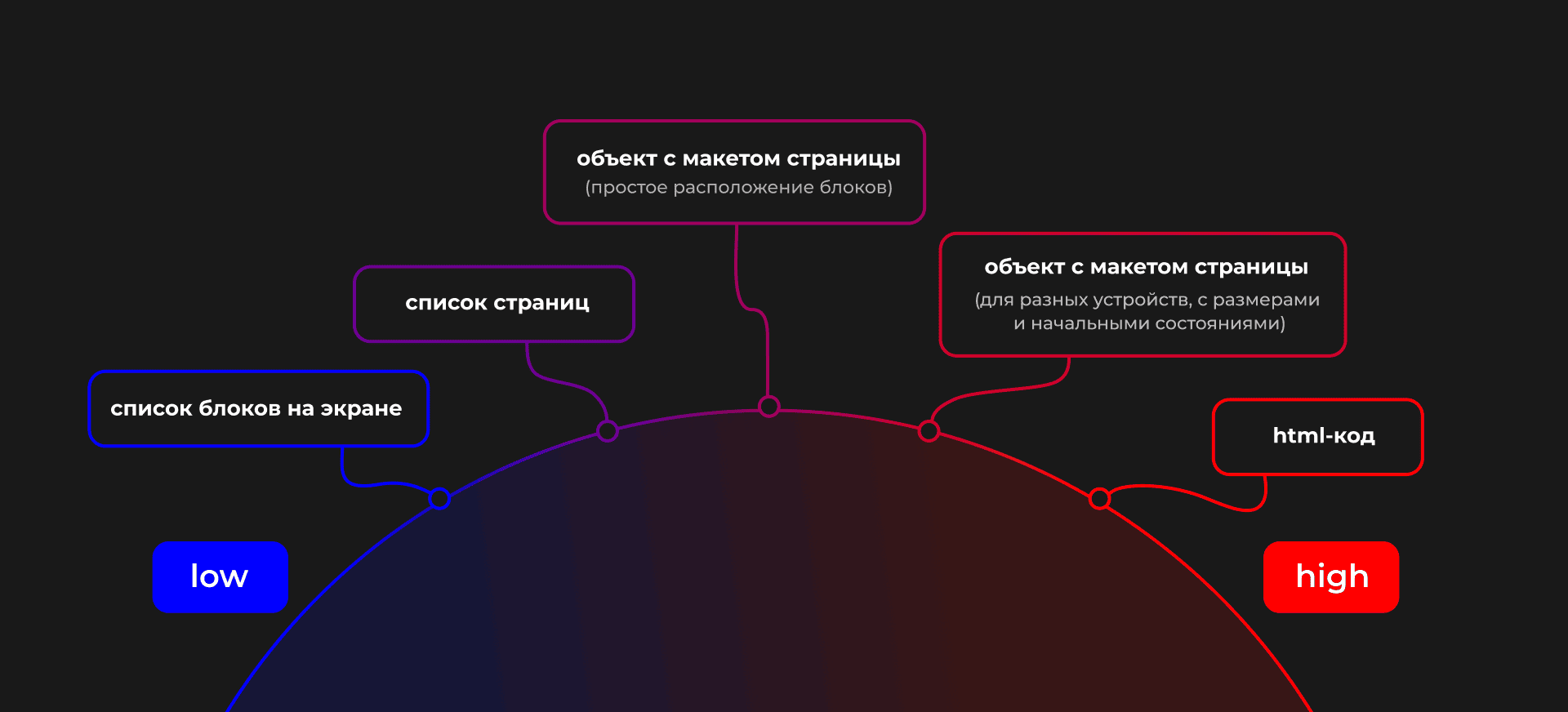
Yes, it feels like everyone has written an article about this topic already.
Our Cases
The easiest way to understand this concept is through real examples.
Case #1: Checkout Page
A checkout usually goes through several steps: delivery method, payment method, contact details, and payment itself. Businesses have different requirements, so the steps vary. Essentially, these steps are formed with input fields. On the frontend side, we need to render the forms, handle navigation between steps, and send data back. The backend handles the rest of the logic.
A vivid example: CS-Cart
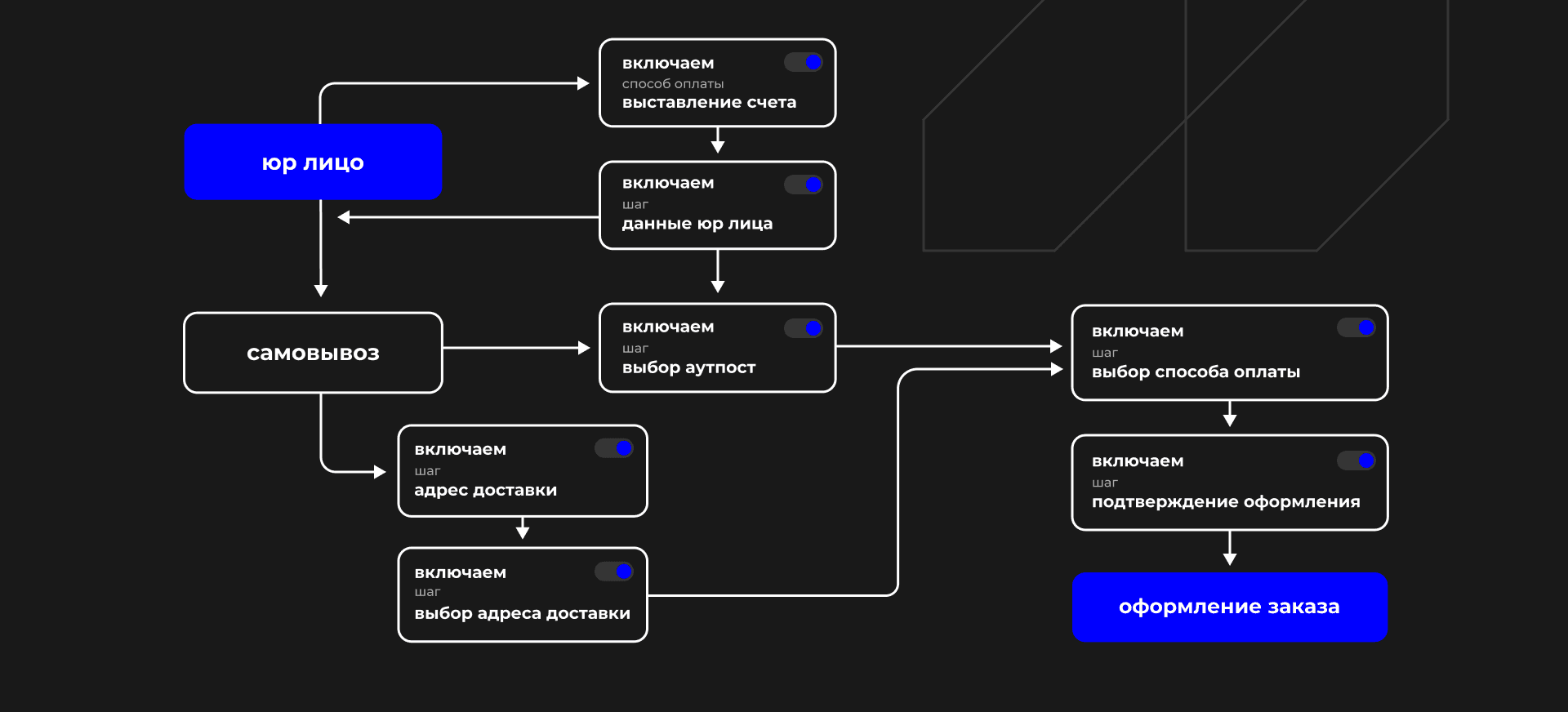
This is roughly how checkout steps are organized in online stores.
Case #2: Blog Post
Blog posts are usually created in an admin panel with a WYSIWYG editor. Modern editors allow multiple columns, custom components, SEO settings, tags, and more. The backend stores the entries, manages access, and provides structure. The frontend renders the content based on that structure.
A good example: Strapi.
Case #3: UI Updates Without Releasing a New App
Imagine you’re a bank hit by sanctions: your app is removed from app stores, and you can’t ship updates. But you still have an option — the entire interface comes from the server as JSON!
A strong example — DivKit.
Why Use This Approach?
Because it allows you to:
- Change the layout of a frontend app significantly (Case #3).
- Restructure an existing screen (Case #3).
- Run A/B tests easily (Case #1 and #3). Normally, this requires coding, deploying new bundles, and lots of manual work.
- Quickly add promotional content from the marketing team.
- Create new content pages on the fly.
What Happens If You Don’t Use BDUI?
Different roles in the team face different problems.
- Project managers: need to consider the complexity of changing page structures. What if the team lead is inexperienced and can’t guide them well?
- Testers: global changes to a hardcoded structure usually trigger full regression testing, which can delay the release by days.
- Developers:
- Must hardcode layout changes in code.
- Have to integrate external data sources for new blocks.
- Need to remove unused sources when blocks are deleted.
- Must adapt layouts when blocks are added or removed.
A Timeline Problem: Negative Case
Imagine building a small hostel booking service. You have designs, contracts, and deadlines. Right before the release, the client asks to swap a promo block with a “bed selector” component.
It looks simple: just switch two blocks. But technical issues can appear:
- The page may have been hardcoded with fixed sizes and margins.
- Data sources may require a specific request order.
- The code may be messy, and the only developer who fully understands it is on vacation.
Another hidden issue: a hardcoded UI has no “contract” for structure or data. You only know what to expect after reading the code.
What about adding a new page with text content?
- You need to dive into the code and copy a typical page with its layout, essentially copy-pasting boilerplate code.
- You might need to register the page in the application router and put it behind authentication.
- You need to hook up the data source.
This makes it very hard to:
- Run A/B tests.
- Add content without developer involvement.
In other words, the frontend becomes a rigid program, disconnected from any external scheme.
At its core, Backend-Driven UI is about receiving a screen schema from the backend, processing it, and rendering the layout. Sometimes it includes the entire site map.
Building a Good BDUI
What do we need to make Backend-Driven UI convenient?
-
A backend contract.
The format of the screen layout must be clear. -
Initial component state
If needed, it should be encapsulated properly. -
Layout description level
Block nesting, vertical/horizontal placement, block sizes. -
Page parameters
For example, page number or filters
How to Implement It
The best way is to put the layout generation logic into a separate microservice, that is a Backend for Frontend (BFF). Don’t bury polymorphic layout logic inside your main backend.
Who uses BDUI in the industry and how?
Example #1: BigTech, Ozon
Ozon’s mobile app uses BDUI for:
- A/B testing
- Extract business logic from Web/Android/iOS apps
- Delivering changes faster to users
Here's a great article where they explain how they prepared the logic for interface formation: How Backend-Driven UI Works on Mobile Client
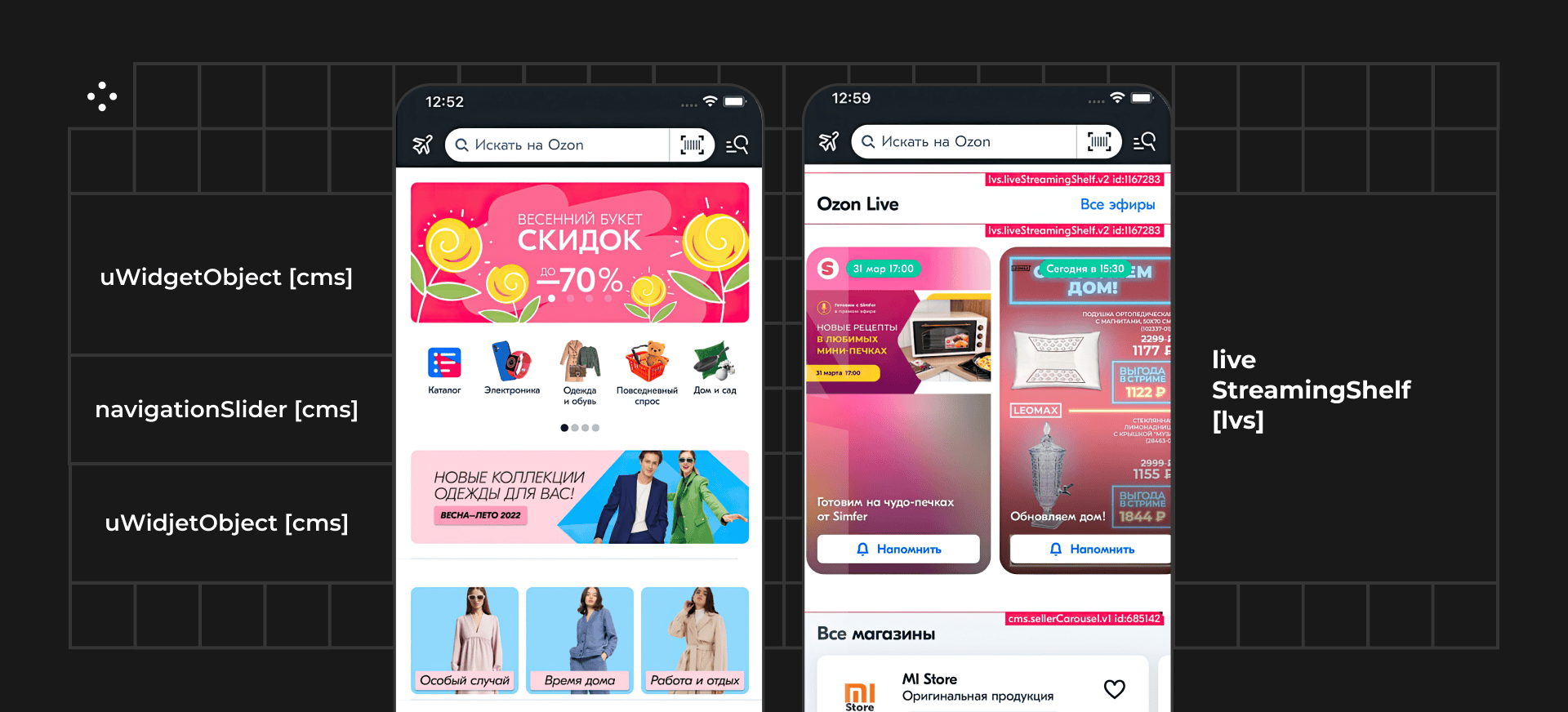
Screenshot of the application with widget explanations on the page, screenshot from the Ozon article.
Example #2: BigTech, Alfa-Bank
A good article on Habr where Alfa-Bank engineers share their experience: Evolution of Server-Driven UI: dynamic fields, handlers and multi-step flows
I should note that they discuss not so much the layout aspects, but rather everything else: event handling, business logic in complex forms.
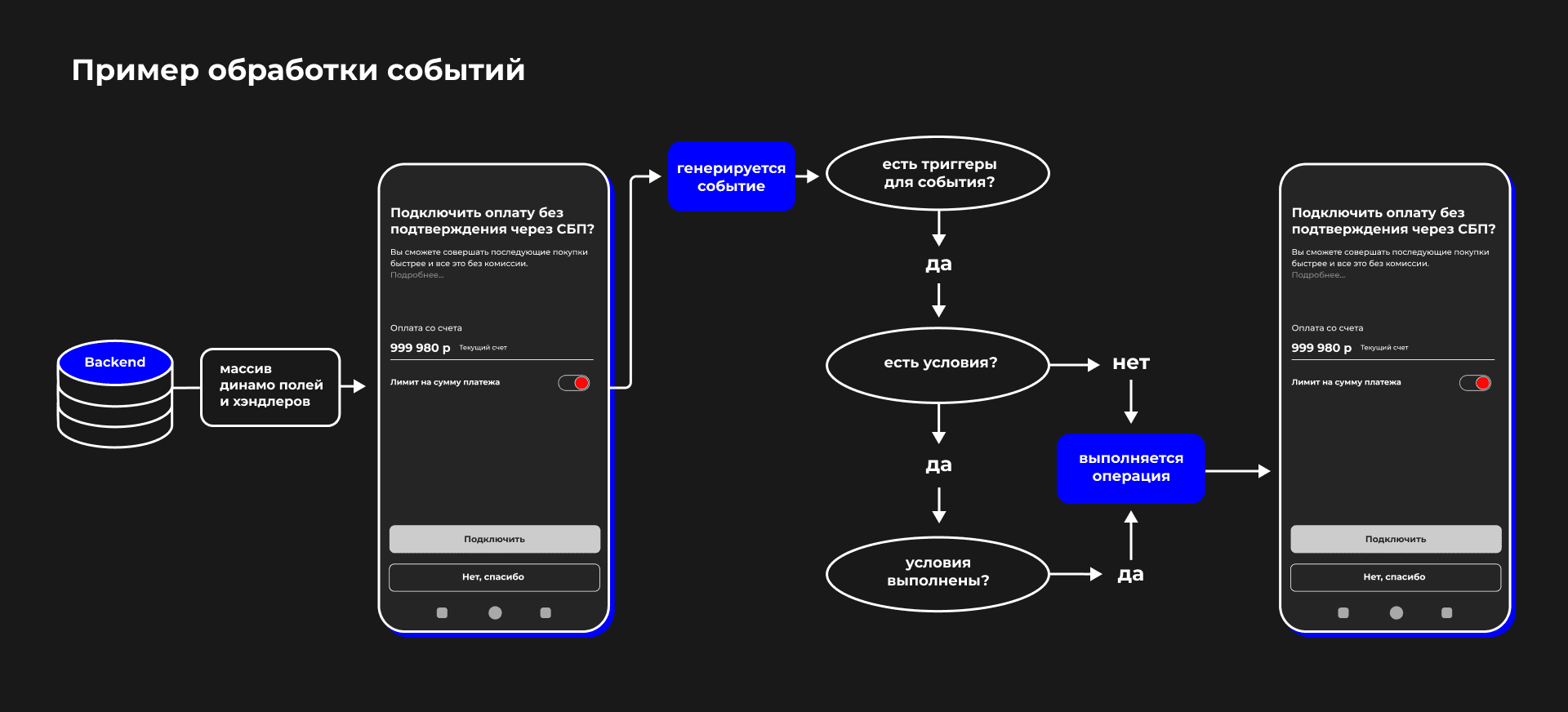
Screenshot from an article with an example of event handling.
Example #3: BigTech, Airbnb
The booking service Airbnb, no longer operating in Russia, also built its mobile app on the BDUI concept. They use it mainly for A/B testing. Here’s a code-rich article with their approac A Deep Dive into Airbnb’s Server-Driven UI System
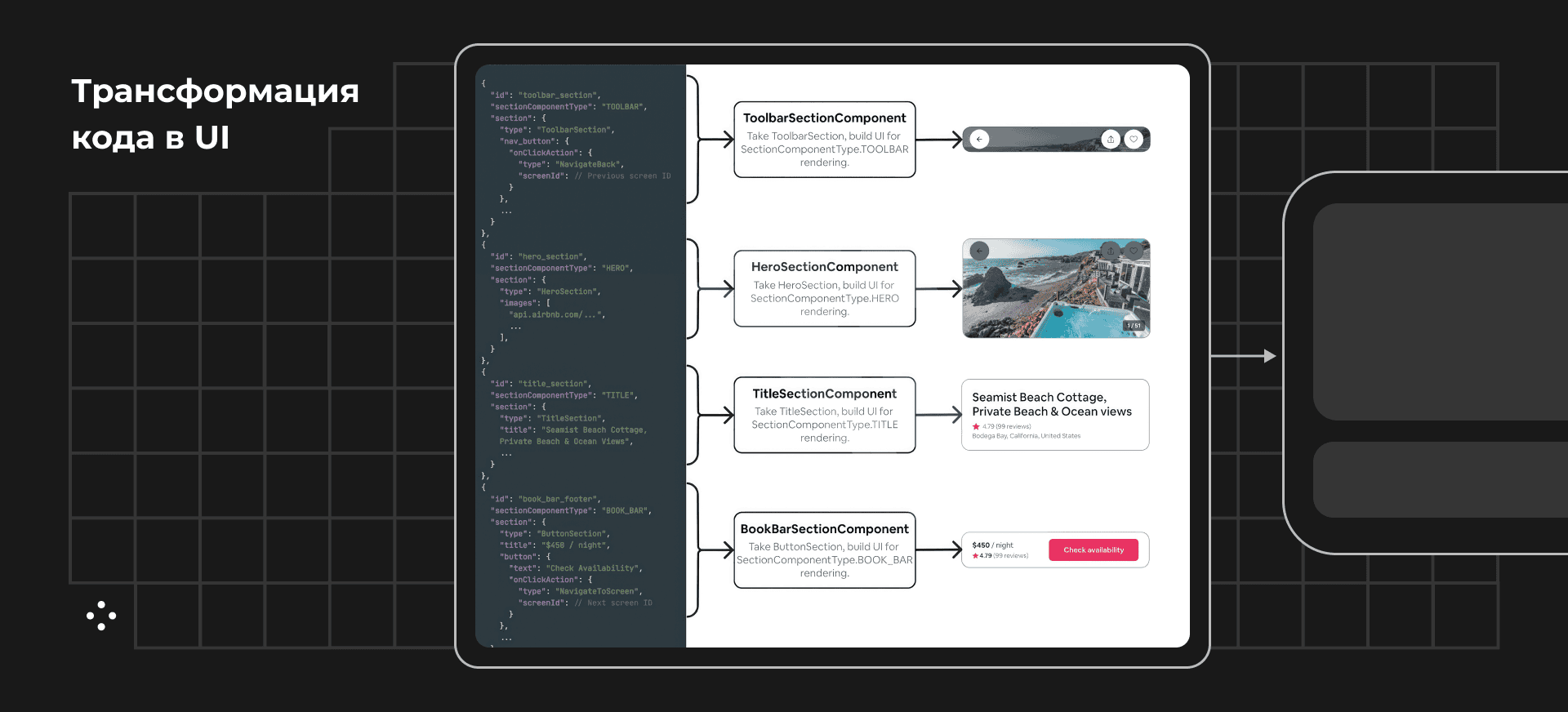
This is how Airbnb transforms data into a user interface (screenshot from their article).
Example #4: No-Code, Unflow
The popular no-code trend often makes its way into client applications through BDUI. For instance, Unflow allows customization freedom and provides SDKs for mobile platforms.
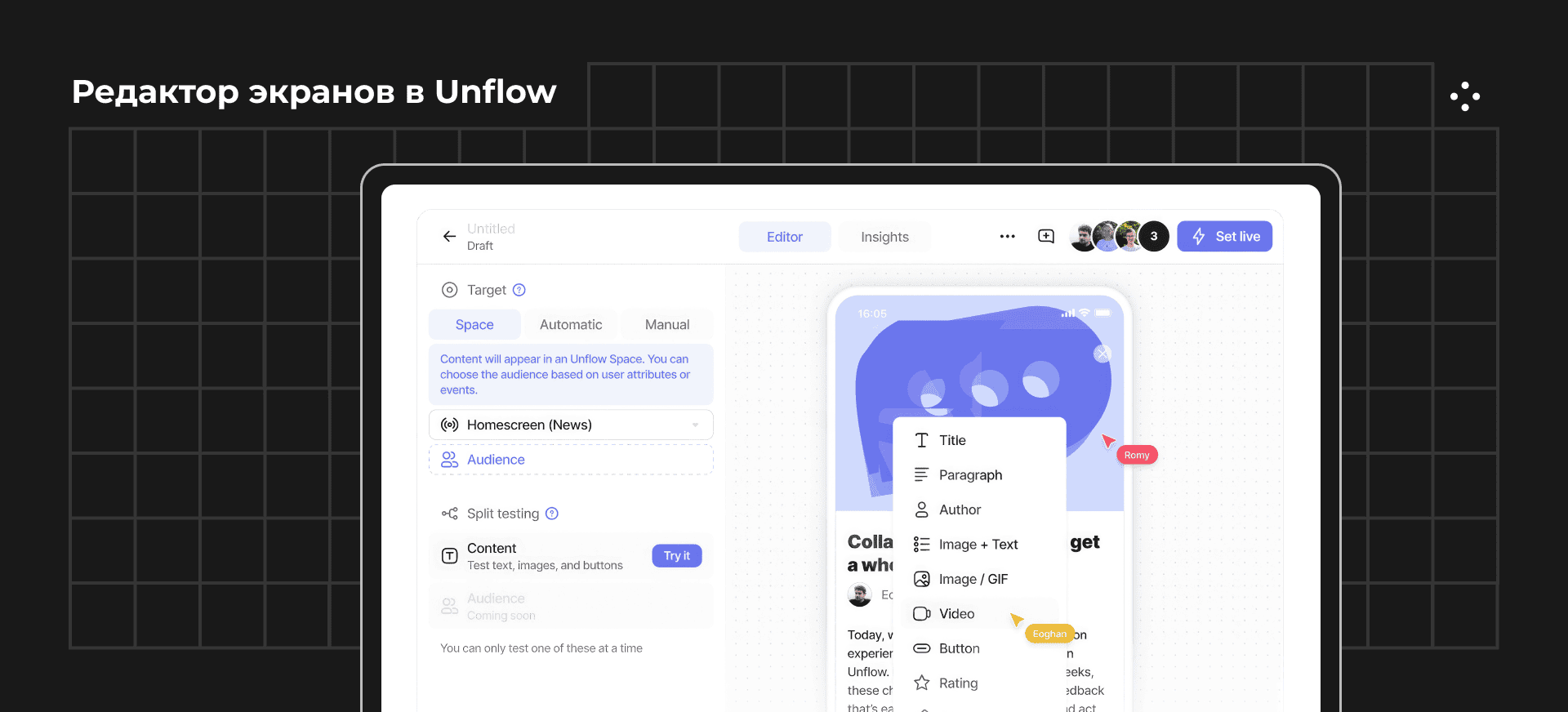
Here’s what the screen editor in Unflow looks like.
Example #5: No-Code, Strapi
An interesting implementation is Strapi, a headless CMS. It provides an interface for editing content but doesn’t generate the site or the final display. For example, you can create a “page layout” entity and add blocks to it. However, this approach is inconvenient and doesn’t allow seamless integration with other data sources.
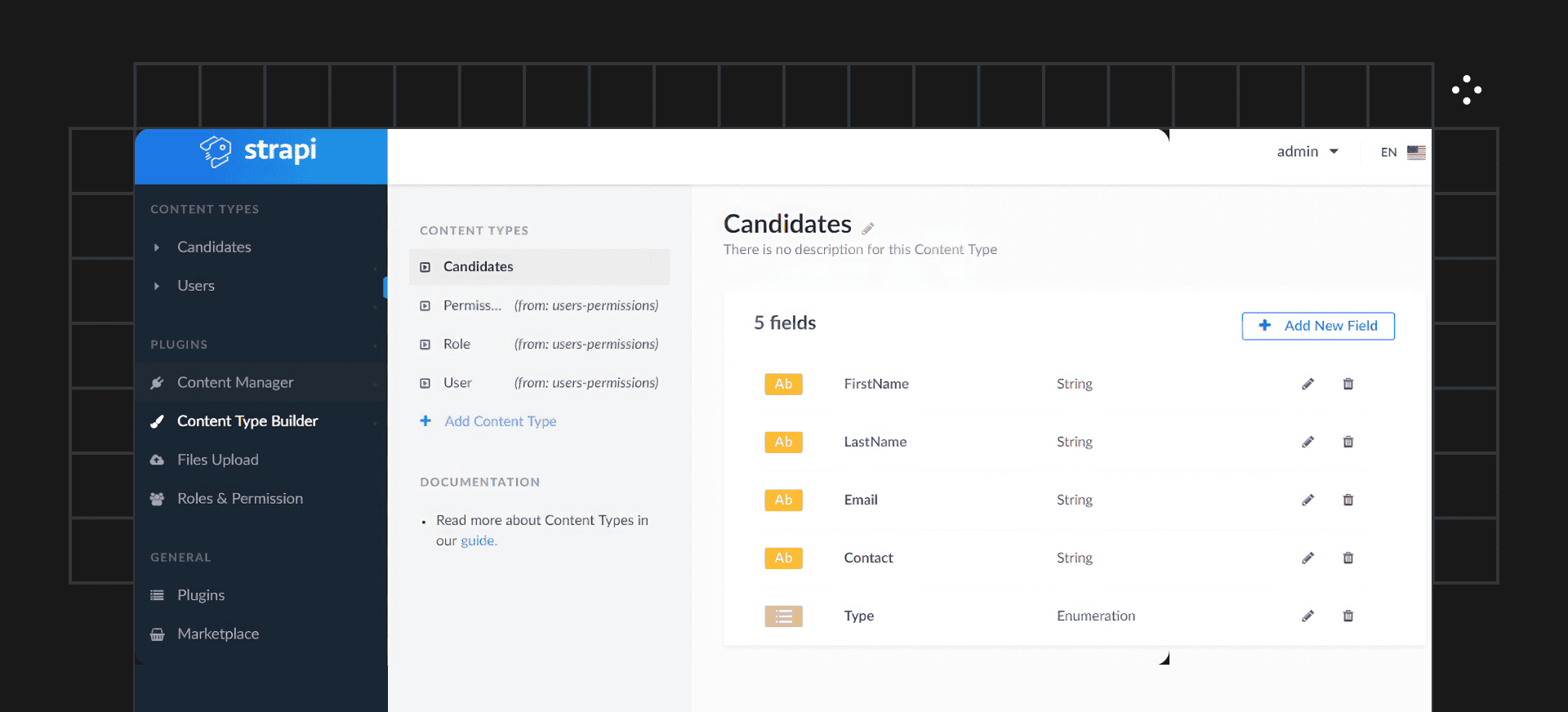
Strapi Admin Panel
Example #6: Implementing the Concept in CS-Cart CMS
Another implementation is the so-called Block Manager. Essentially, it’s a simplified visual page layout editor. It lets you build or rebuild a page without writing any code at all. The block/widget settings are a whole universe of their own.
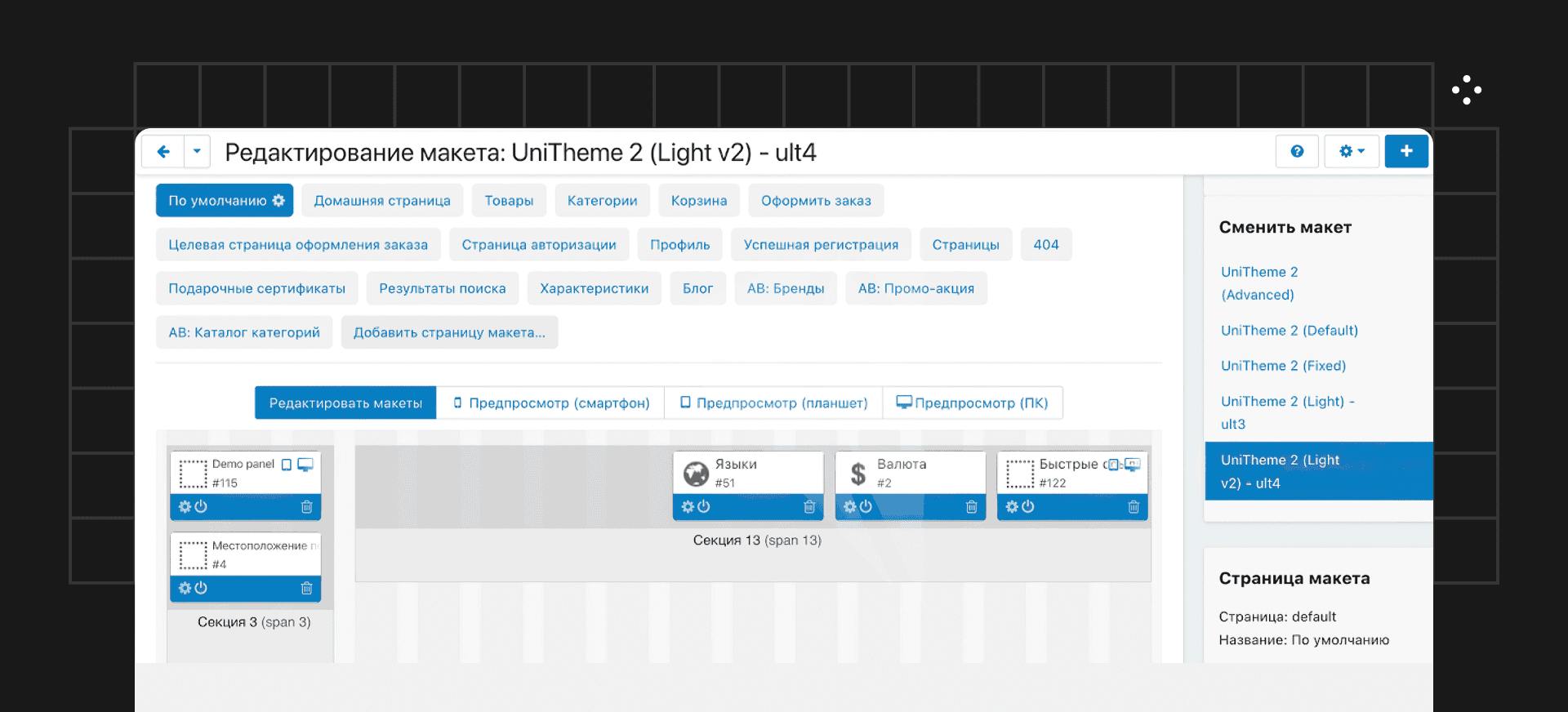
Page Layout Editor
Conclusions
Backend/Server-Driven UI is still a niche concept. Building a full interface with this approach is expensive, but it works well for two cases:
- Large enterprises need to test hypotheses, deliver features and fixes quickly, avoid drowning in duplicated logic across multiple client applications.
- Small businesses don’t have the resources to build custom solutions. Instead, they use no-code platforms — which are often based on BDUI — assemble screens, connect an open-source client to their instance on the platform, and everything just works.
Used wisely, BDUI is powerful. Applying it to the right parts of a system (like complex forms) is the right choice. The more business logic you keep on the server and the less on the client, the more stable your app will be.

More articles
Previous article
The Hidden Power of Business: Who Needs Account Management and Why
Hi there, this is Mish Product Lab, and me, Nikita, an account manager. I’ve been part of the team for two years now, doing what I love and making it count. In this article, I’ll share how account management works inside a digital lab, how to build expertise, and how to bring real value to the business

Next article
The Hidden Power of Business: Who Needs Account Management and Why
Hi there, this is Mish Product Lab, and me, Nikita, an account manager. I’ve been part of the team for two years now, doing what I love and making it count. In this article, I’ll share how account management works inside a digital lab, how to build expertise, and how to bring real value to the business