

How AI Turns Designers into Creative Multitools
Hi! I’m Sergey, a graphic designer at Mish Product Lab. At some point, I was replaced by neural networks or maybe I just learned to work with them. In this article, I’ll share how I tamed artificial intelligence, multiplied my own efficiency, and stopped fearing that one day I’d be out of a job because of a machine.
Disclaimer: all tools mentioned here were up-to-date at the time of writing. The AI field changes fast. New models appear daily, pricing changes, and generation quality keeps improving.
So, as they say, stay tuned.
Test Setup
I’ve been working in design for about seven years, mostly in graphics: logos, branding, illustrations. I’ve always aimed to expand my skills in every direction. Partly because I like doing everything myself — being a kind of “design multitool.”(Or maybe I just don’t delegate well, but that’s a detail.)
And partly out of curiosity and boredom. When you keep doing the same thing long enough, you turn from an inspired artist into a creative conveyor belt. That’s a direct road to burnout. So whenever I heard about a new tool, I’d dive right in: illustration, 3D, animation, typography, calligraphy, lettering, sculpture, painting, 3D printing, photography, and video. You name it, I’ve probably tried it and I loved it.
The upside of this curiosity: I can handle a lot of tasks myself, switch between projects, and never really get tired of the work. Even if I’m not the one doing a specific task, knowing the terminology and tools helps me communicate better with specialists in any field. Knowledge makes you confident — and people tend to pay well for confidence.
The Workflow Before AI
That’s how just a few years ago, things looked like.
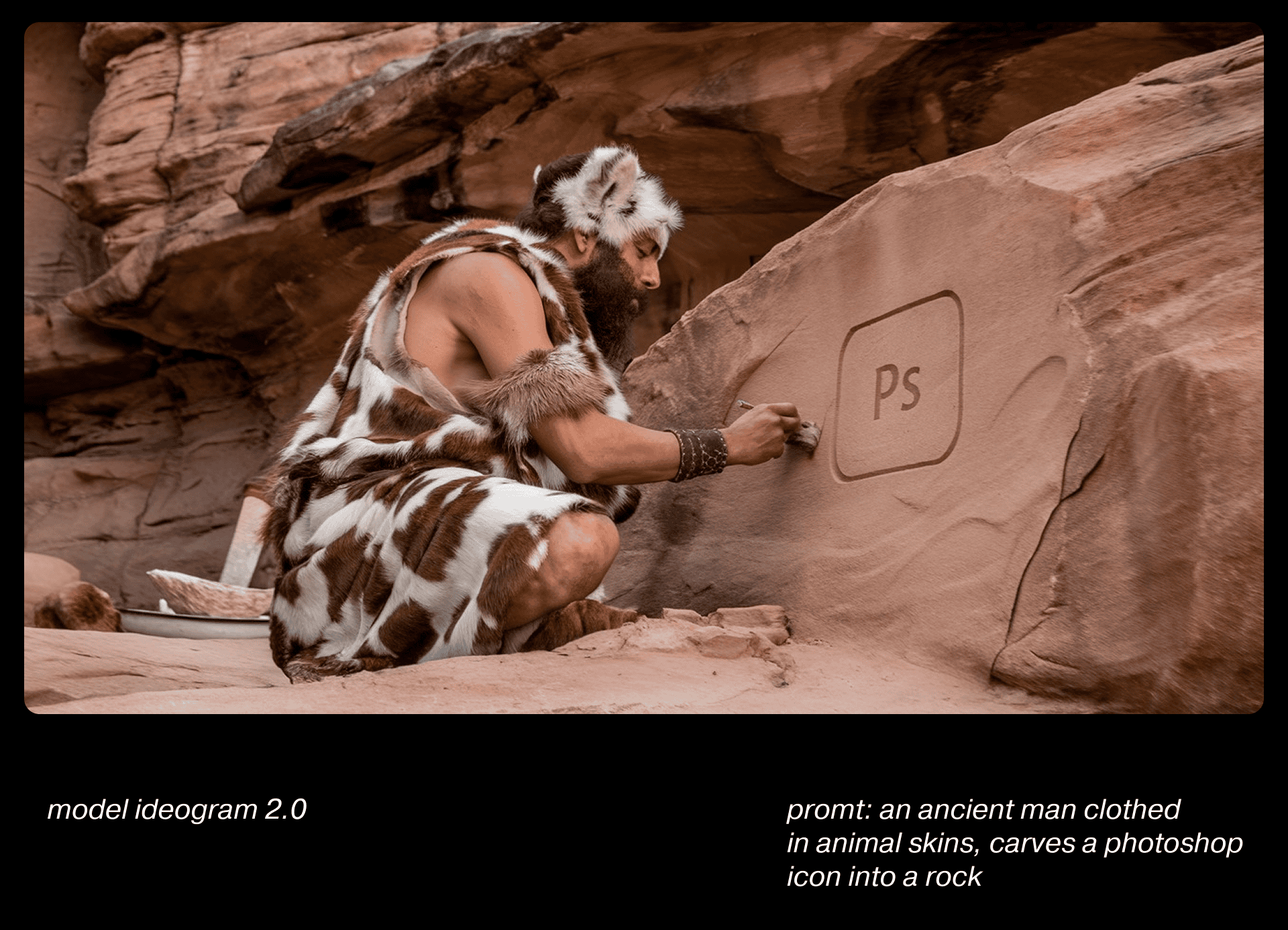
Need an illustration? Practice sketching, work with Photoshop and Illustrator, maybe even paint by hand.
Want 3D? Learn Blender, Cinema 4D, or ZBrush. For animation — After Effects or Premiere. You spend hours looking for stock photos, brushes, or references. And while learning one tool, you forget another. While diving into 3D, you lose your drawing rhythm. There’s just not enough RAM in your head or your laptop.
Then everything changed.
The Workflow After AI
And that’s how I manage things now.
Around 2022, when Stable Diffusion started gaining traction outside developer circles, I installed automatic1111 with Stable Diffusion on my laptop. At first, it wasn’t exactly “work-ready.” My early generations looked like pixel soup — maybe “art” if you squint, but not something usable for design work. Still, it was fascinating.
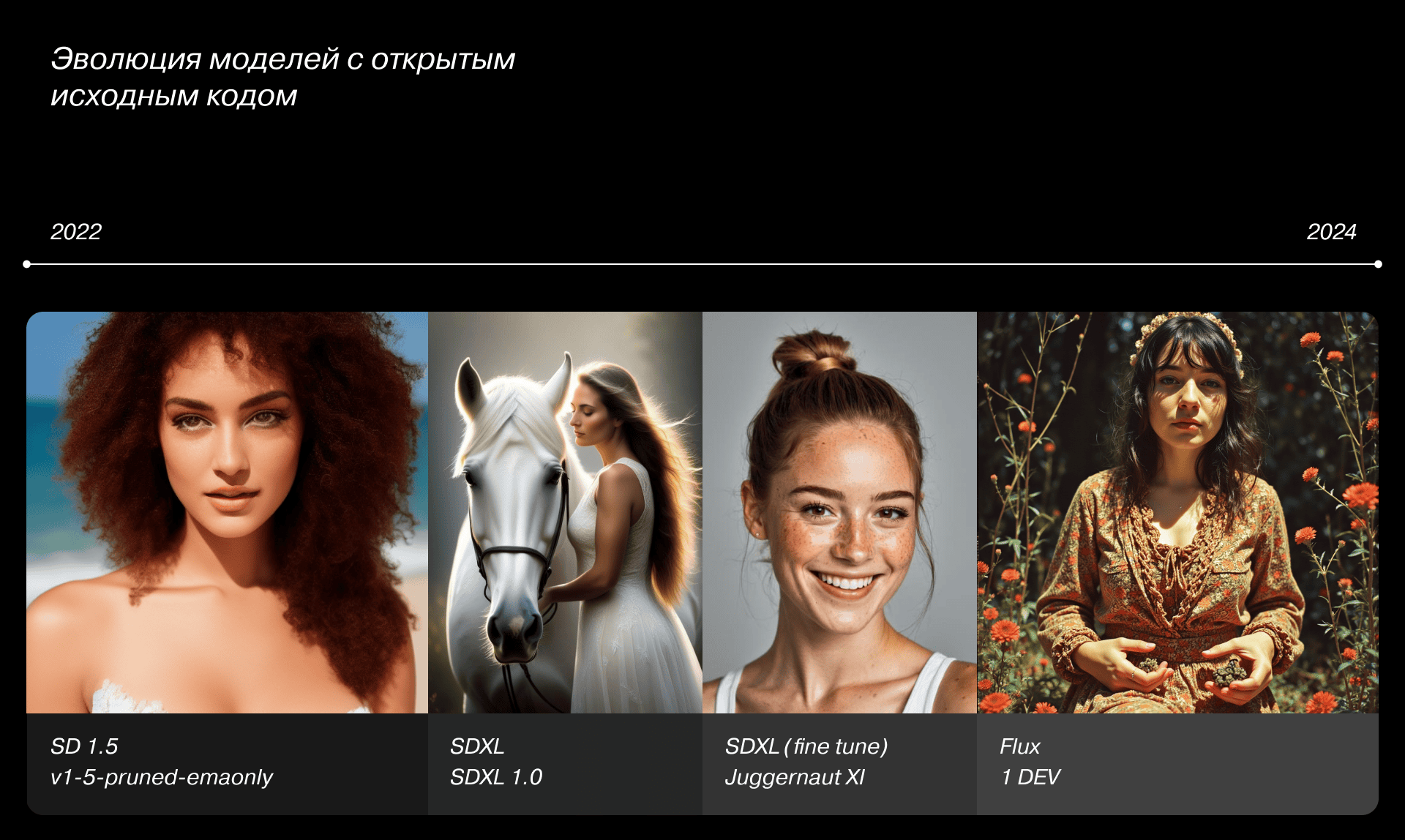
Progress in AI soon exploded. Every day brought new models, updates, or tools for images, music, video, 3D, and text, each update getting better and better. What once felt like hype became real working tools.
Now, it’s hard to imagine a day without AI models that act like my extra pair of hands and sometimes, eyes.
Of course, AI doesn’t do all the work for me. Neural networks are still just tools — they require learning, testing, and keeping up with updates. Anyone can generate a cat, sure, but no one’s paying for cats.
My Toolbox
I’m still a graphic designer at heart, so my tools revolve around that world. AI helps me with photos, illustrations, and concept creation. 3D and video generation are still catching up, but improving fast.
Now, a quick disclaimer to clarify what we are talking about.
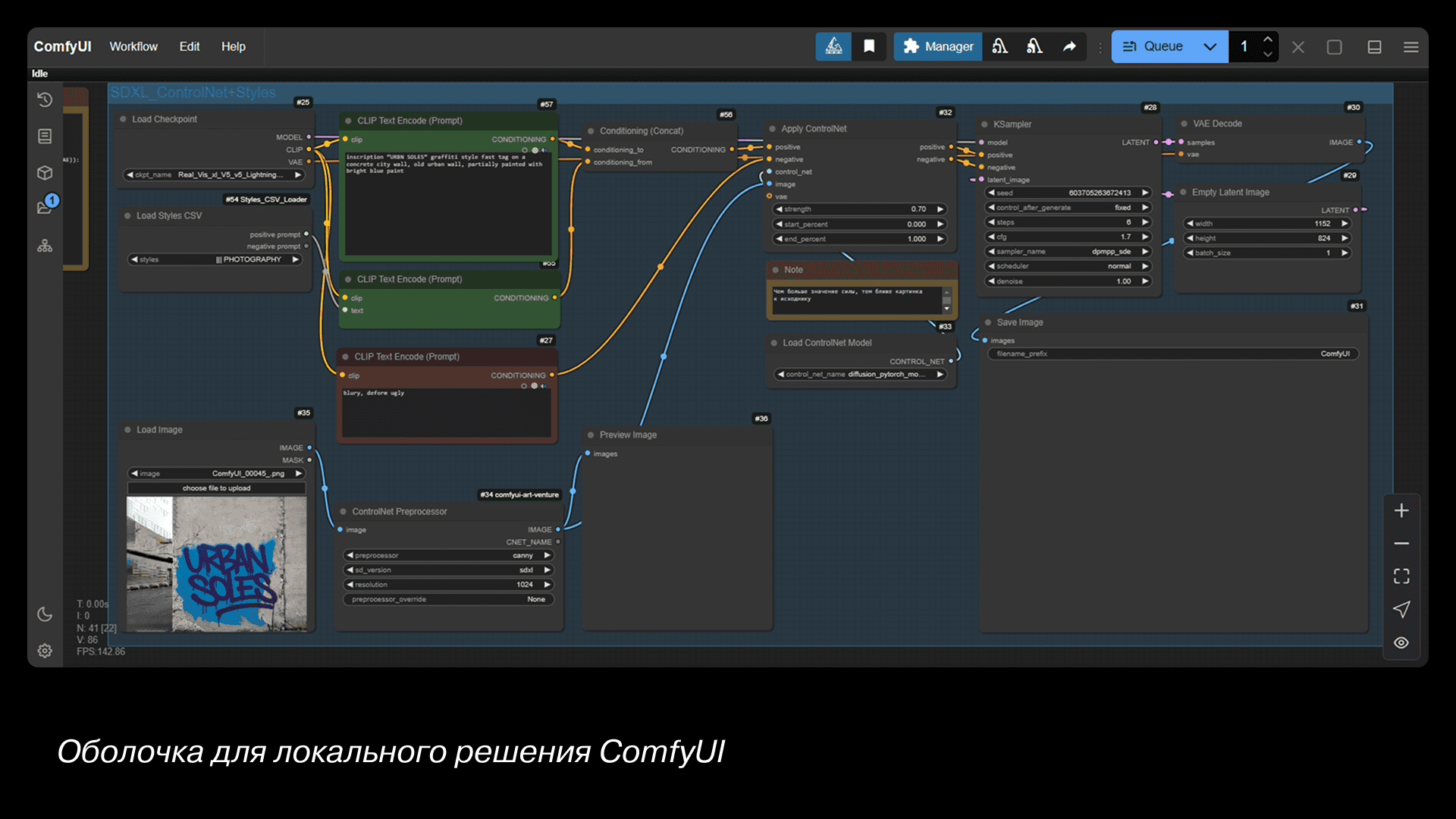
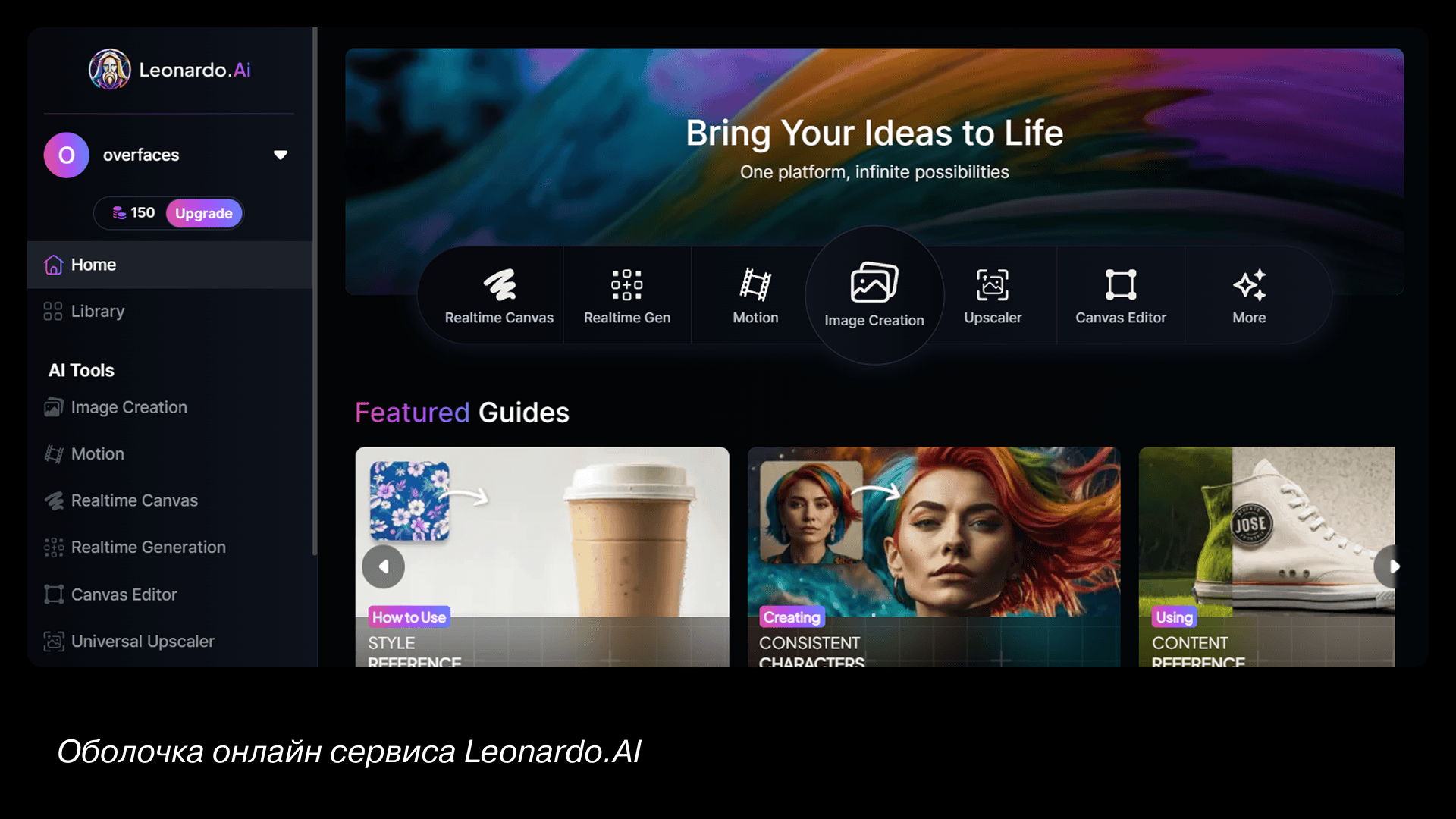
A neural network has a shell, it is a graphical interface through which the user interacts with the model. The model is an array of data on which a particular neural network is trained. For example, if we are talking about tools that generate images, this is a couple of billion pictures that the model correlates with the prompt. A prompt is a text query that you use to describe what you want to see as a result. There are also tokens — an internal currency used to pay for generation.
So, let’s go.
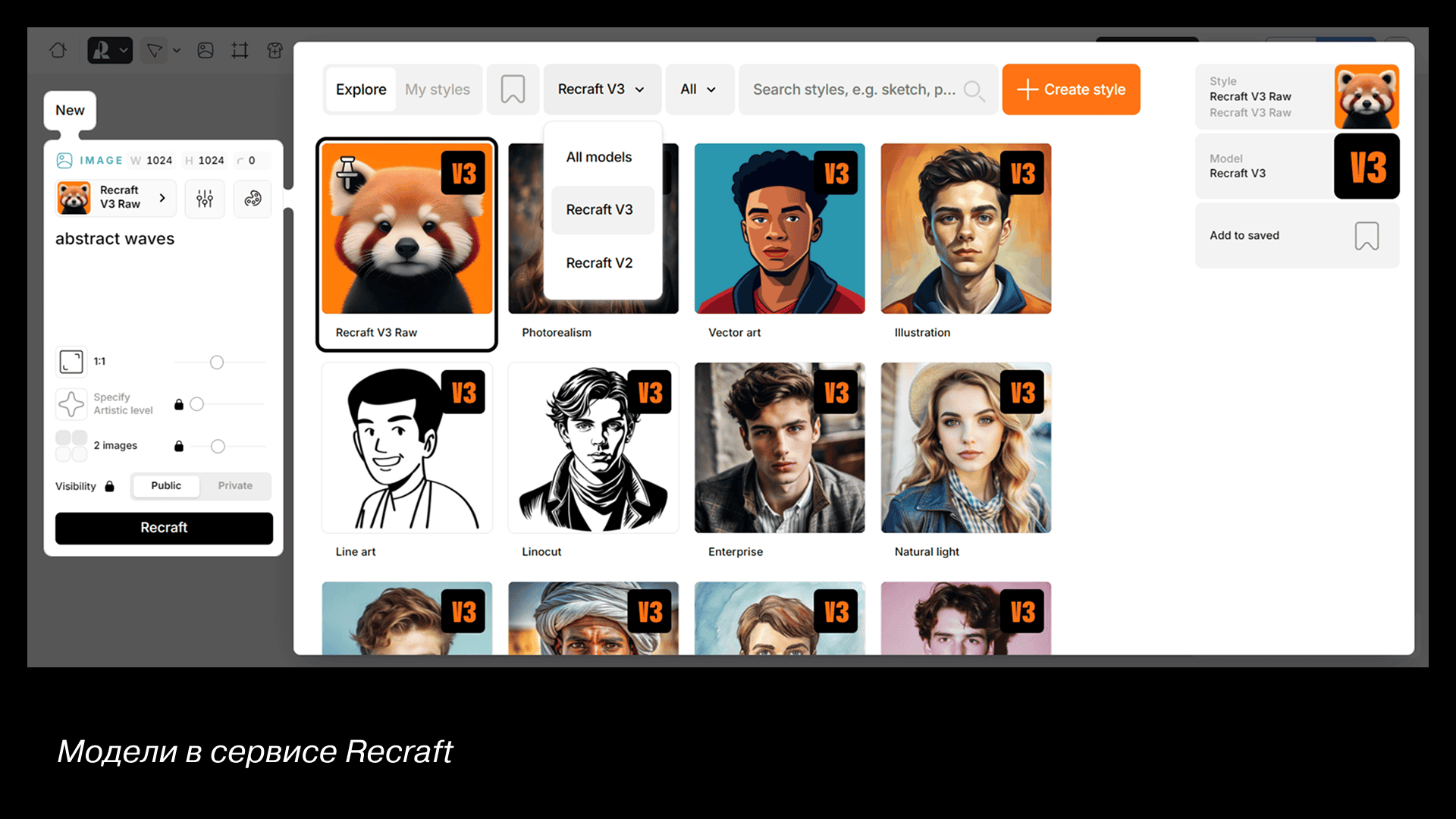
For simple photo or illustration tasks, I use Ideogram, Recraft, or Leonardo. They have evolving models, clean interfaces, and daily token refreshes, it is great for exploration or small tasks. And of course, Midjourney — the gold standard for image generation.
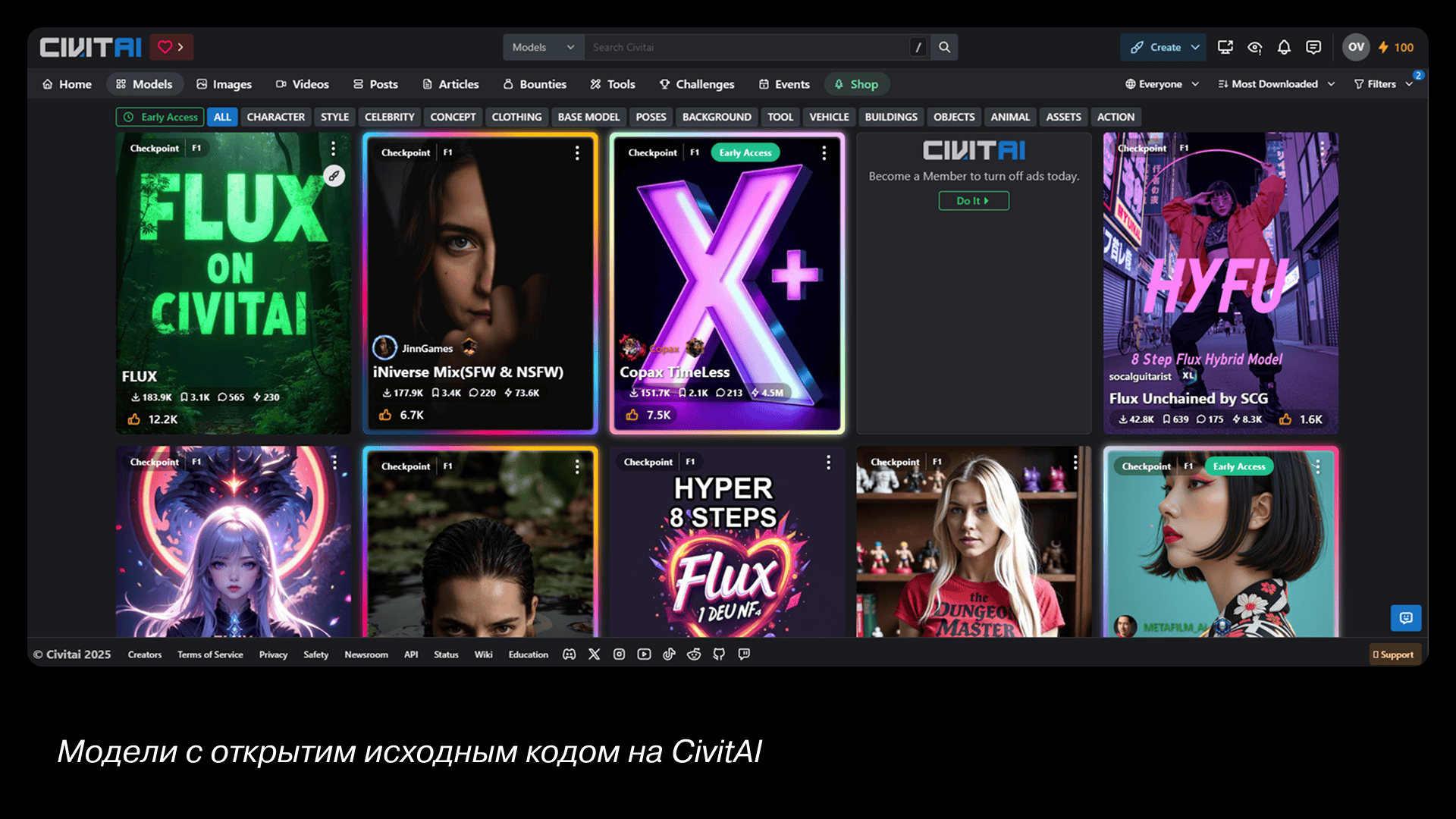
When precision matters — like a specific model pose, color palette, or complex scene — I use local tools like Forge or ComfyUI. You can download specialized models from CivitAI or Hugging Face, fine-tune them, and edit every pixel if needed. There are universal models and specific ones for solving specific tasks, such as photorealism or anime. Local shells offer the ability to fine-tune the generation. And there is a huge range of functions for controlling the result: you can replace, redraw, or repaint even a single element of the image, or even the entire picture. Generations are free and unlimited.
Local generation is free and unlimited — but requires a strong GPU and lots of disk space. If your hardware isn’t ready for that, cloud services like immers.cloud or cloud4y.ru rent GPUs by the hour — perfect for experimentation.
If you want to get into the neural sphere in a big way, you definitely shouldn't pass up these neural networks. To understand how they work, it's worth taking a look under the hood, figuring out how they learn, what models are and what kinds there are, what Lora is, and learning other specific terms.
Tip: if you want to understand these tools, but your hardware can't handle them, there are cloud services such as immers.cloud or cloud4y.ru where you can rent powerful graphics cards on an hourly basis.
Example Workflows
A few useful techniques that I periodically use in my work.
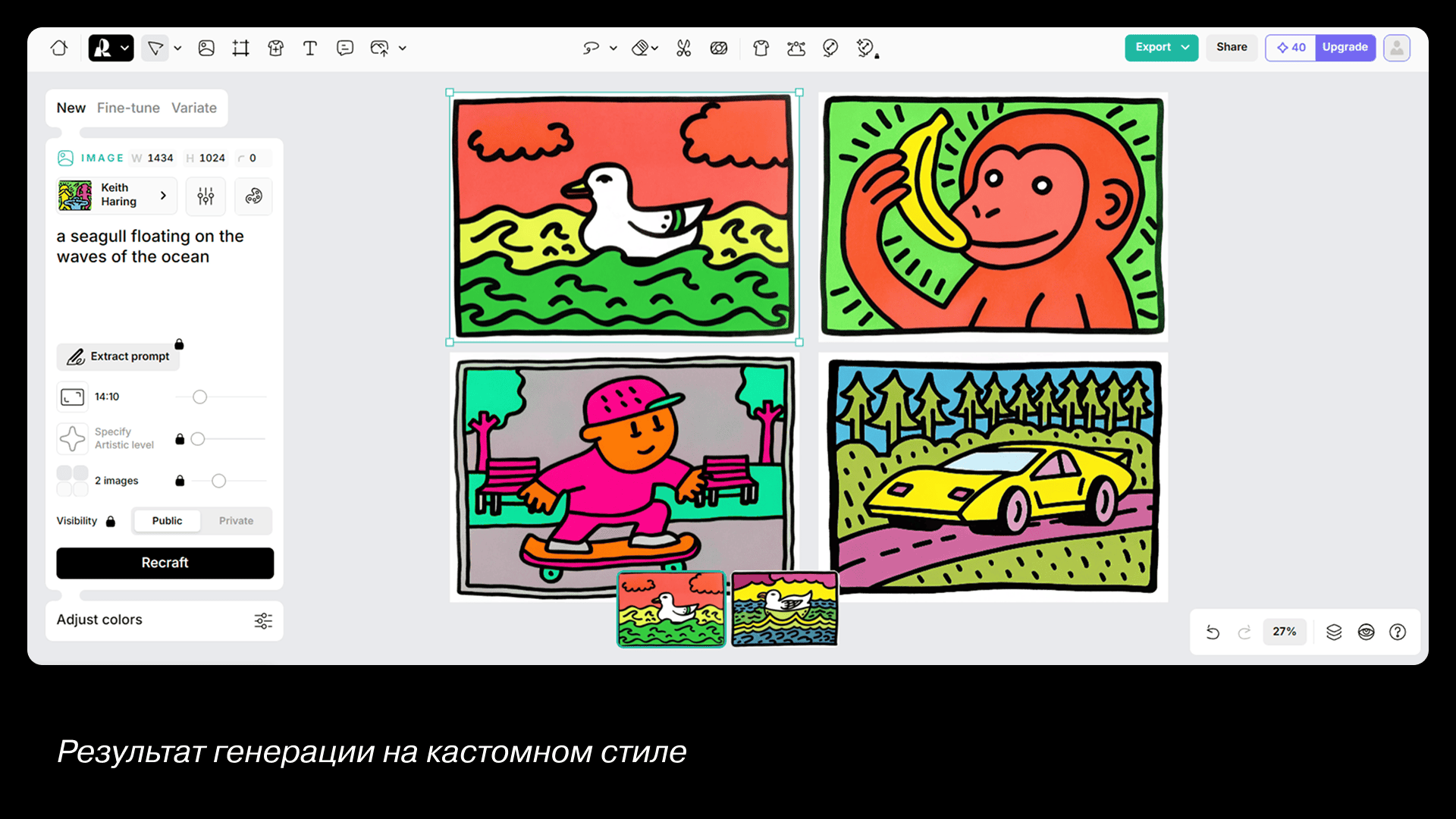
Example 1: Custom Illustration Style
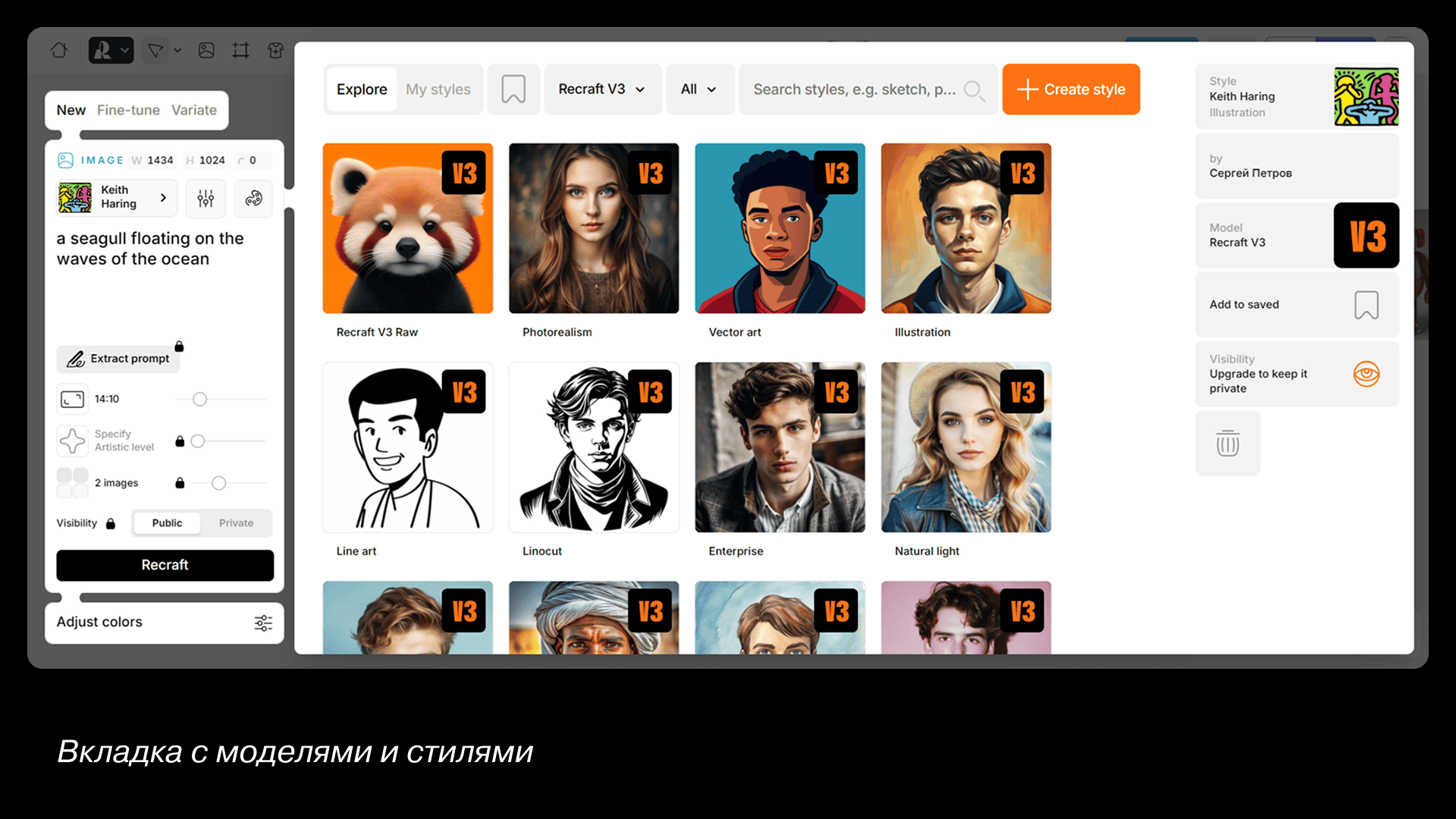
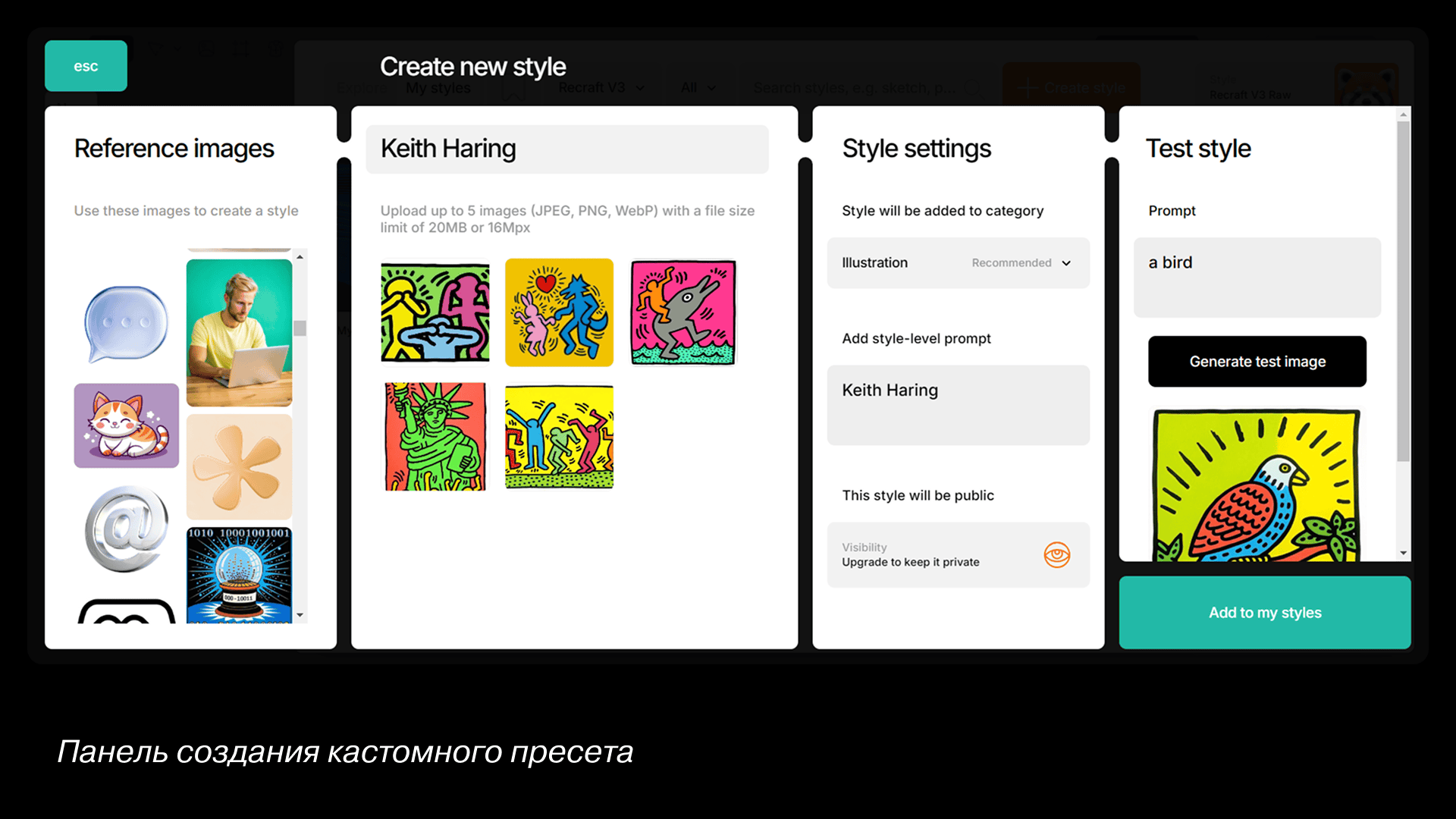
Let's create a preset for generating illustrations in a specific style in the Recraft service. First, let's gather some style references. I'm going to make illustrations in the style of Keith Haring. Open the styles tab on the image panel. Click on the big plus sign in the window with models to create a custom style. Upload several sample images and test them right in the same window. The style will be saved in the set and will be available at any time.
Example 2: From Image to 3D
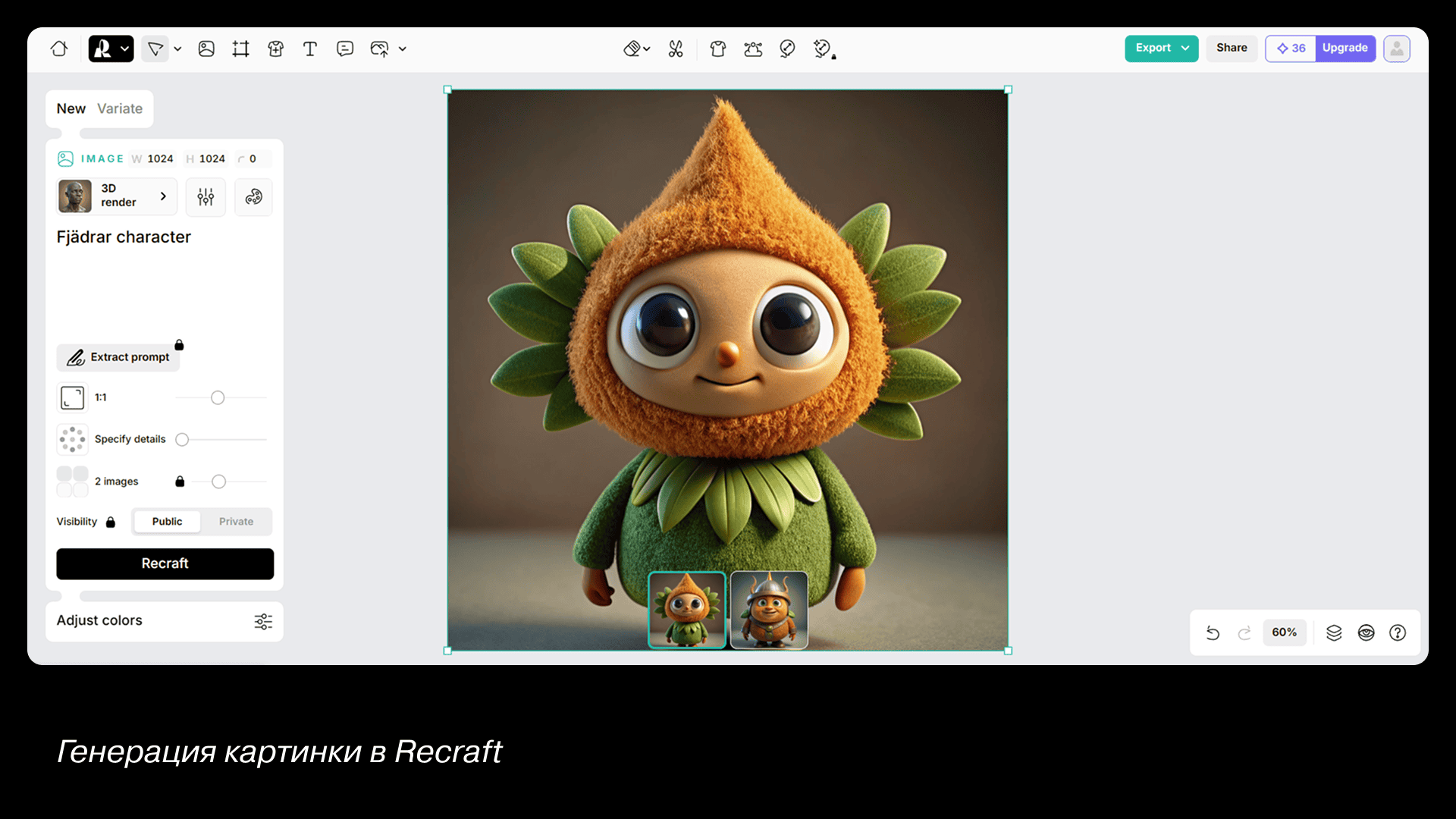
Let's not limit ourselves to a picture and make a 3D model as well. First, we generate a character in the same Recraft using the 3D render preset. For the prompt, we'll take something abstract, something from IKEA would be perfect — for example, the Fjädrar pillow. Add it to the prompt character and you get this funny character.
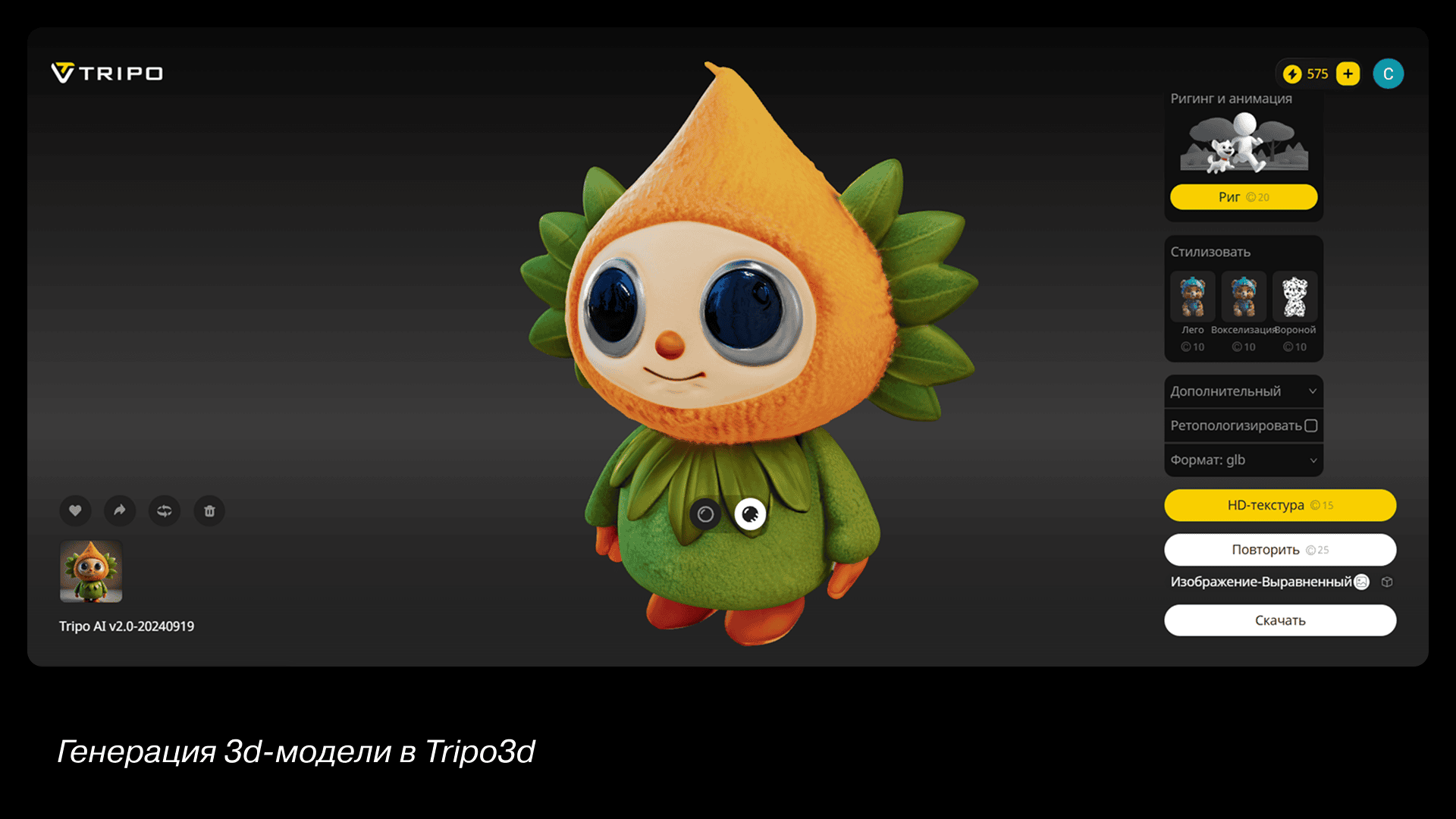
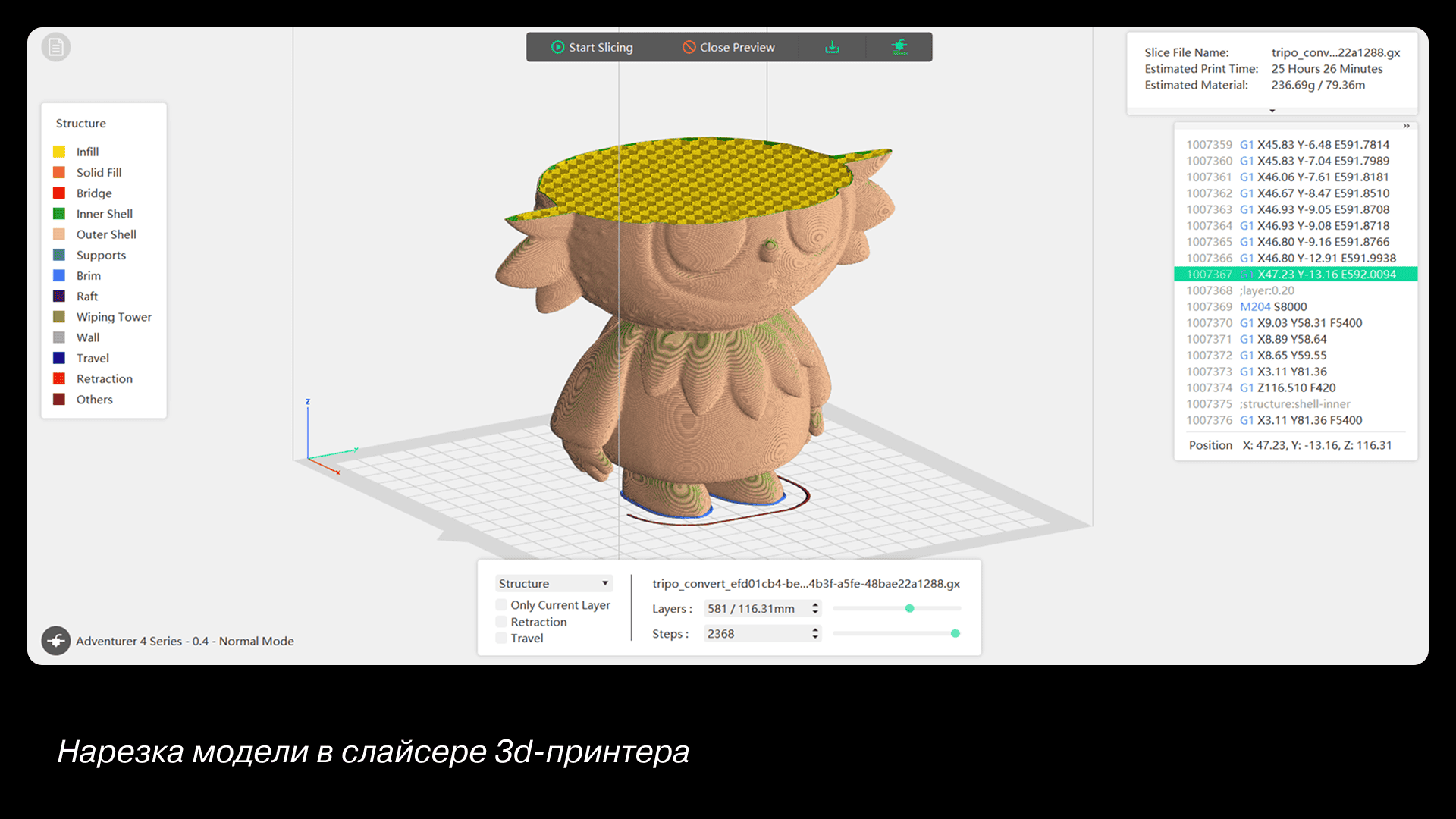
Next, upload the resulting image to the Tripo3D service. You can give hints using the prompt or the image (our option). At the moment, Tripo3D is perhaps the best solution in the field of 3D generation, so the output is a fairly decent model. The service allows you to save the model in various formats, including obj and stl. You can use your model in a digital environment or send it to a slicer and print it on a 3D printer.
Example 3: Improving Your Art with AI
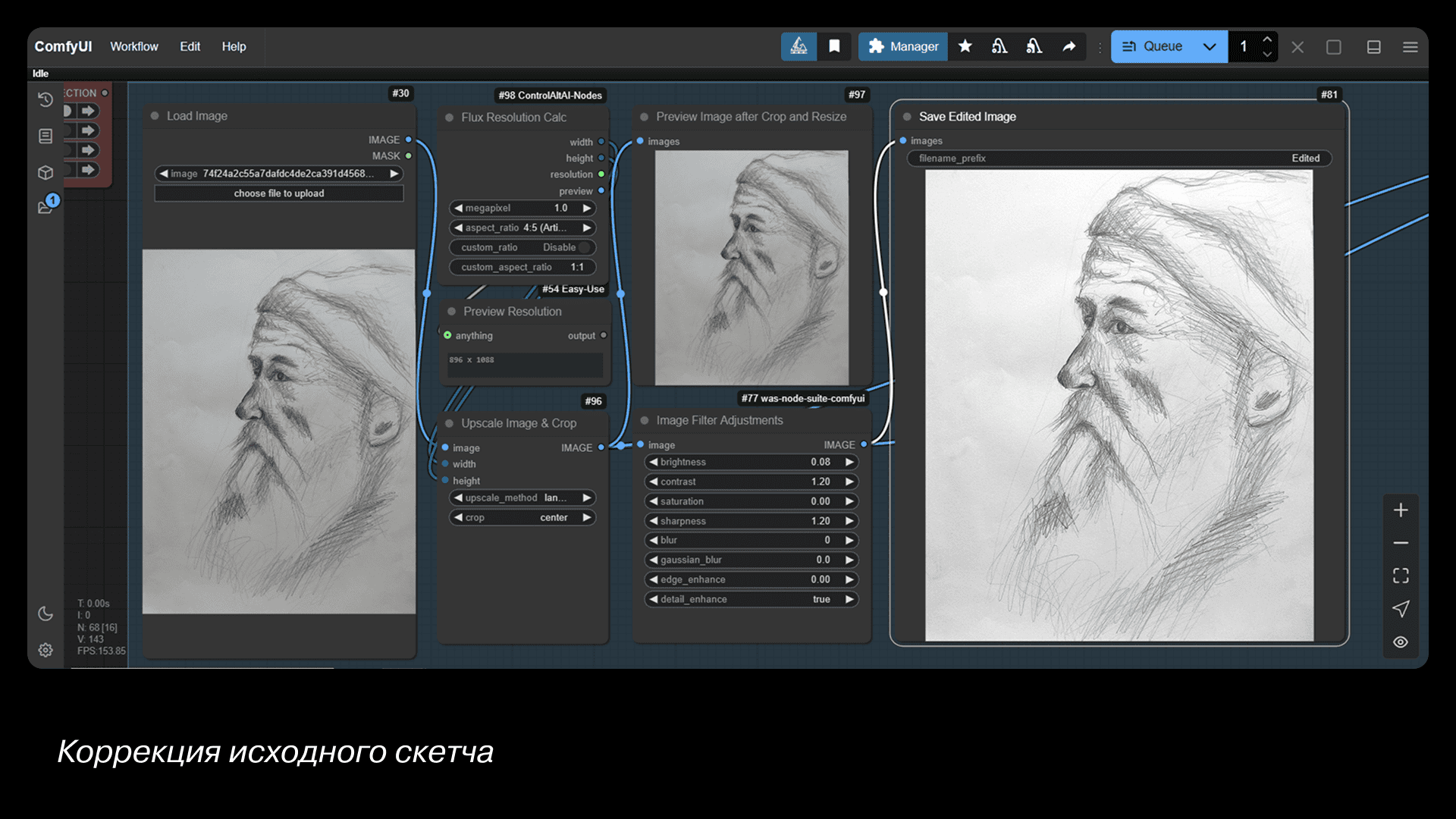
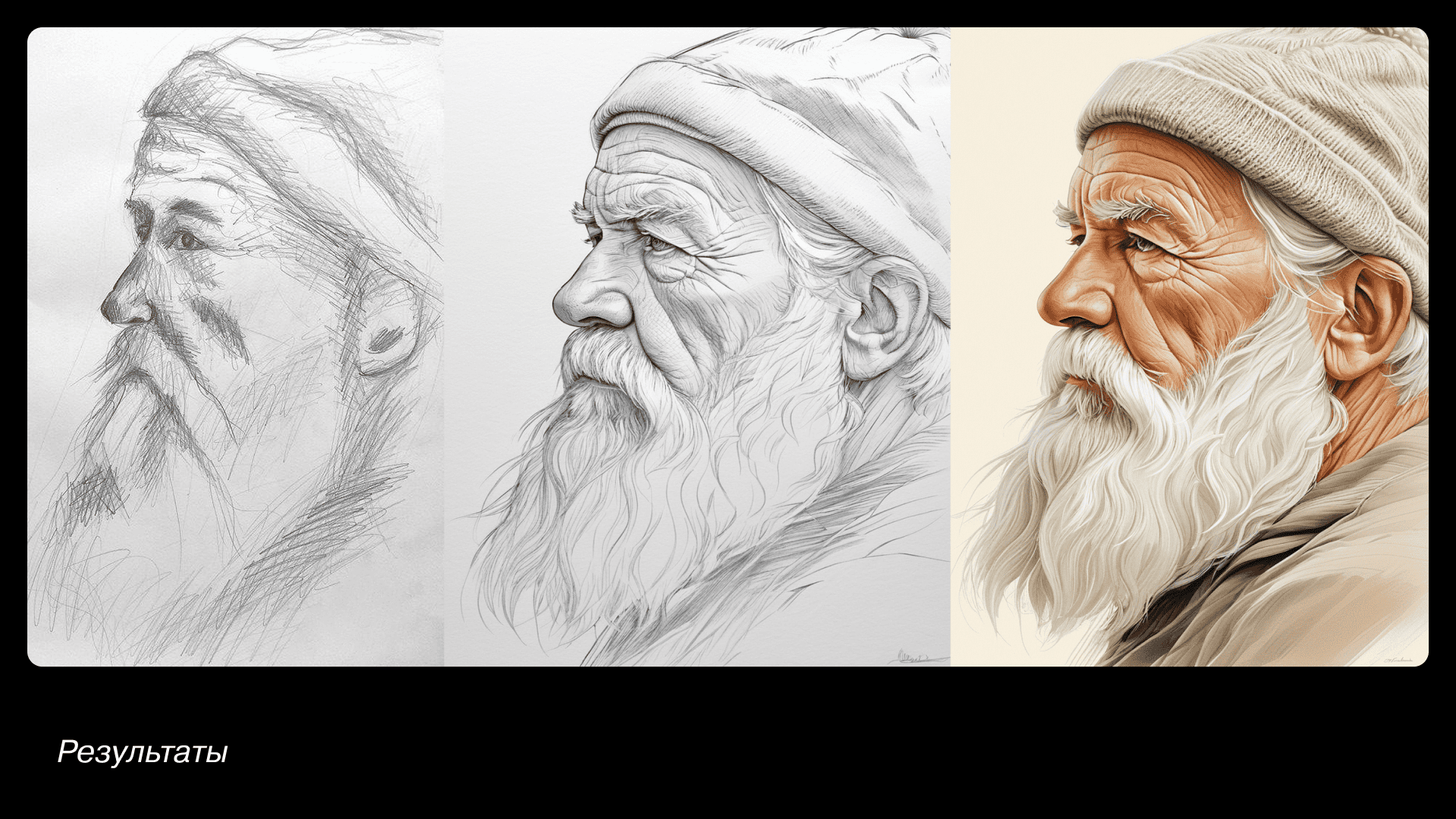
Option for working with a local tool. If you can draw, but only at an intermediate level, here is an interesting way to improve your creativity.
Take a sheet of paper and draw something simple. Take a photo and upload it to ComfyUI. In the first stage, we essentially replace Photoshop, make the sketch brighter, and add clarity.
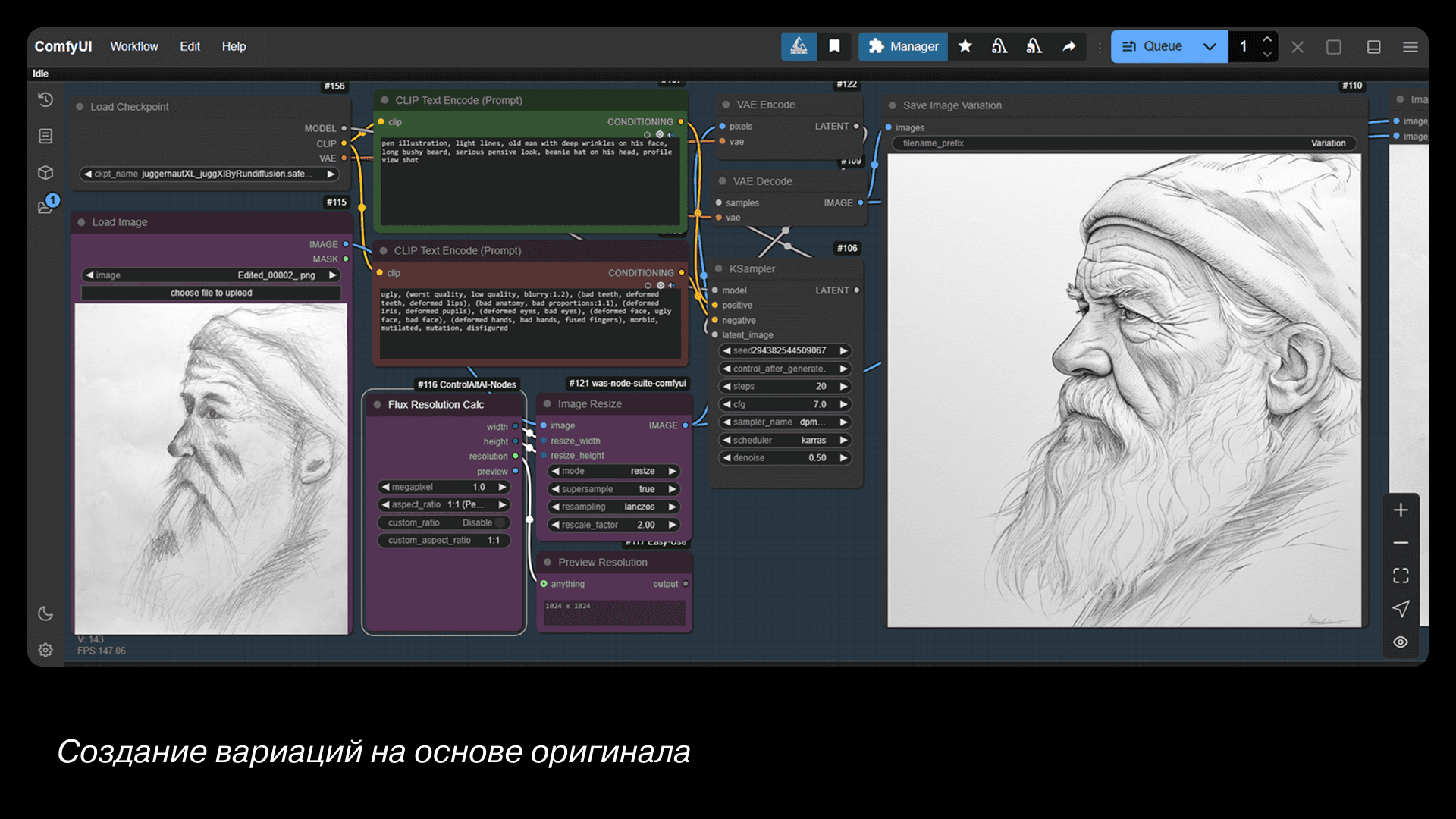
We upload the result to the second process and ask it to draw the same thing, but make it look nice. It already looks good, but we can still color the whole thing into a full-color illustration.
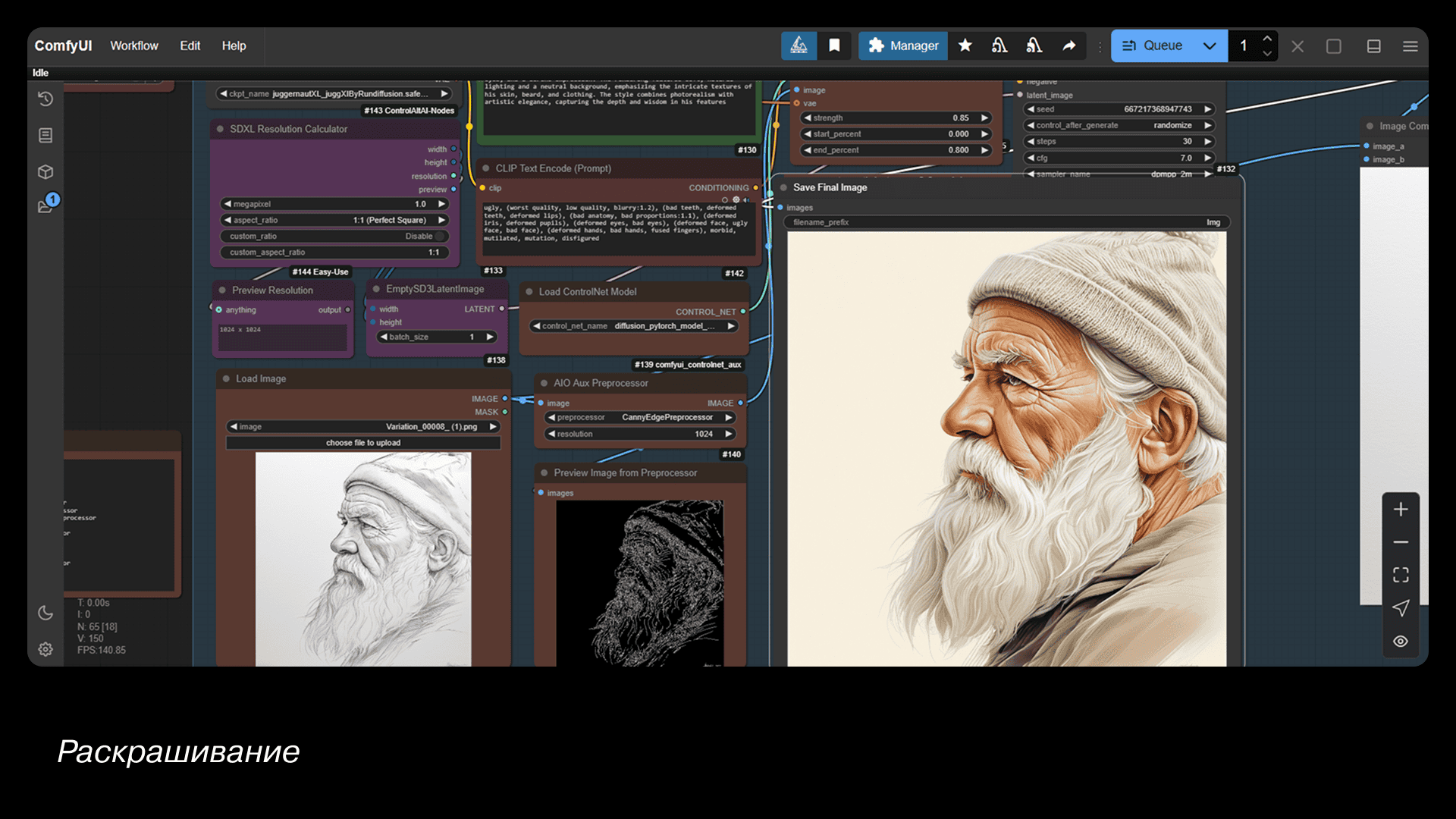
We feed it into the third process and describe the style. This mechanism is called ControlNet: the neural network scans the original image and generates a new one based on this composition, adding a description from the prompt.Now you can draw like a pro. Just don't tell anyone.
Can AI Replace Designers?
Who can it really replace? Mostly the “hands” — people who just resize, copy, or follow strict templates. Even there, some tasks still need human judgment — for now.
But for everyone else — there’s no reason to fear. If you treat AI as a powerful assistant that handles the boring stuff while you focus on ideas, you’ll only get stronger.
AI has billions of images — but only a designer decides which ones to use and why. There’s no magic “make it good” button. AI creates; designers give meaning.
So learn new tools, automate the boring parts, and keep growing. If something can be simplified — simplify it.

More articles
Previous article
Comparing Mobile Banking Apps for SMBs: Key Takeaways
A mobile application is not just an alternative to internet banking. For small and medium-sized businesses (SMBs), it's a workspace that's always in your pocket, providing access to account management, document signing, payment monitoring, and urgent transfers. Everything should be as accessible and intuitive as possible. We conducted a comprehensive study of mobile banking apps to test how well they handle these requirements in practice.

Next article
How to Choose the Right Respondent for Digital Research
Research, data analysis, processing results, and integrating insights into workflows — all of it can turn into a waste of time and money if you start with the wrong respondents. So how do you make the right choice? Who should you talk to, when, and how do you build rapport? Let’s figure it out together with Mish’s research experts.
