

Solving Pug and Vite Project Chaos: A Practical Guide
Hi, I'm Andrey Benner, a frontend developer at Mish. Today I'll share our experience in optimizing chaotic processes using our own custom solutions. If you've ever worked with projects using the Vite + Pug + SCSS + TypeScript stack, you've probably encountered chaos in file structure and routine tasks that prevent you from focusing on what matters most — solving business problems and creating user-friendly interfaces. In this article, we'll share how we faced this problem, created a solution that made the development process more efficient, and made the project structure intuitively clear. We'll also tell you how this solution was born within our team and became part of our contribution to open source.
The Problem: Chaos and Confusion in the Project
Many of you are probably familiar with the popular vite-plugin-pug plugin. This solution allows you to use Pug in Vite-based projects. However, it has a significant drawback: the need to create HTML "wrappers" for each Pug page.
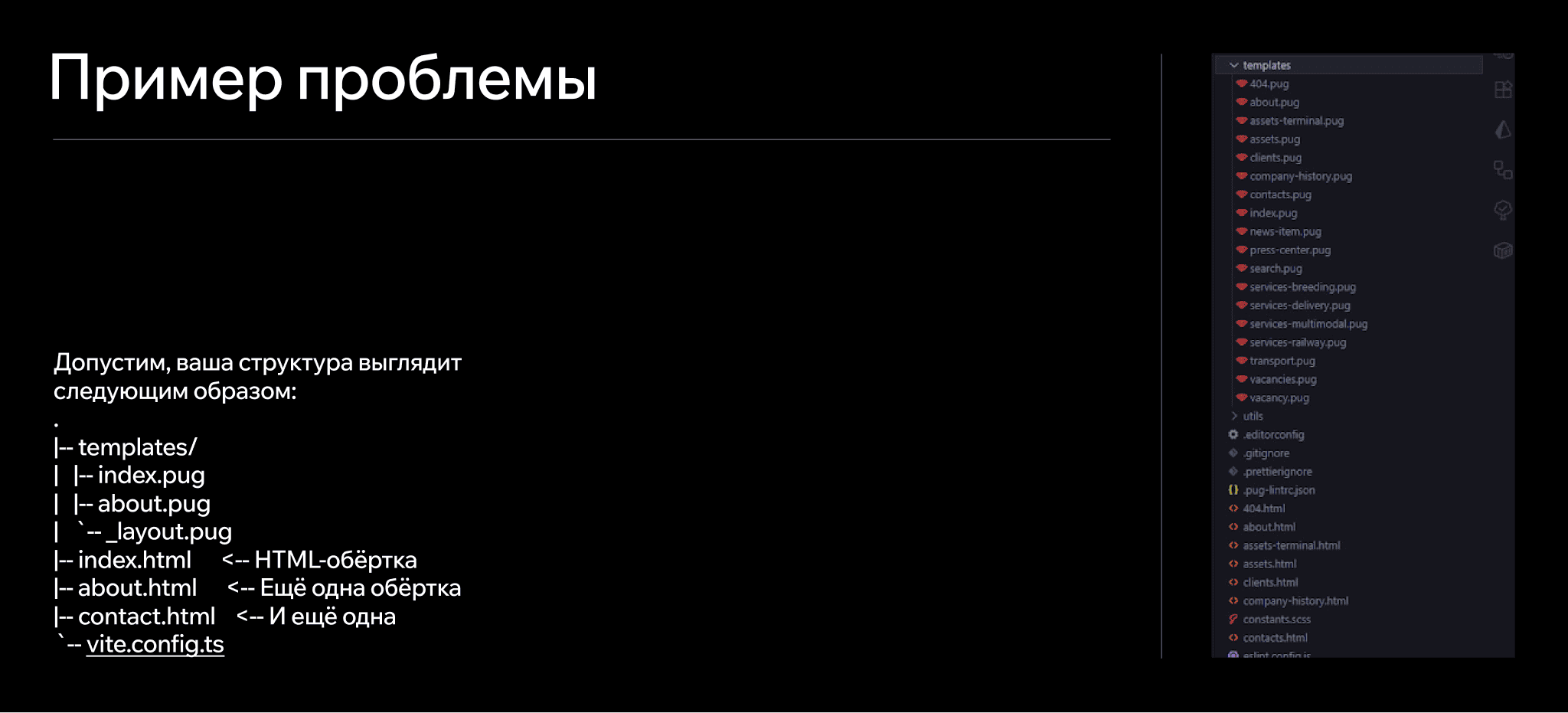
It seems fine, but in practice, several issues arise:
Confusion: You need to keep in mind that .html files are not the complete result, but an intermediate tool for building.
Headache from making changes: When adding new pages or changing the project structure, implementing "wrappers" becomes a real nightmare on large projects.
Reduced readability: Files are scattered throughout the project, making it difficult to quickly understand where everything is located. Every developer knows how challenging it is to maintain a cohesive architecture on large-scale projects while avoiding "junk" files and excessive nesting.
So we faced the urgent task of creating a convenient and transparent system that would eliminate the problems described above.
The Solution: Rendering Pug Directly
"If the ready-made solution doesn't work, what's stopping us from creating our own?"
after encountering yet another structural mess. Fortunately, at Mish, we approach such initiatives with enthusiasm: we support and develop each other's ideas. This not only helps achieve personal goals but also improves life for the entire teamIt turned out that solving the problem required just two things:
- Pug's API for converting .pug to HTML.
- Vite's builder for integrating into the workflow.
This is how my work on the vite-convert-pug-in-html plugin began
What the Plugin Does
Instead of creating redundant files, my plugin
- Renders .pug files directly into HTML during the build stage.
- Creates a clear structure for the final files (for example, about.pug becomes pages/about/index.html).
- Simplifies work with the dev server: Every .html request is intercepted, the corresponding .pug is found, and the page is rendered on the fly.
- Configures correct paths to CSS and JS assets in the final HTML (no more complicated workarounds!).
How It Works:
- Using Pug API and Vite build hooks, we tightly integrate the process of rendering .pug into HTML files.
- We eliminate the need to use "wrappers": no more .html files, only .pug files.
- We add HMR support. Any change in .pug instantly updates the page.
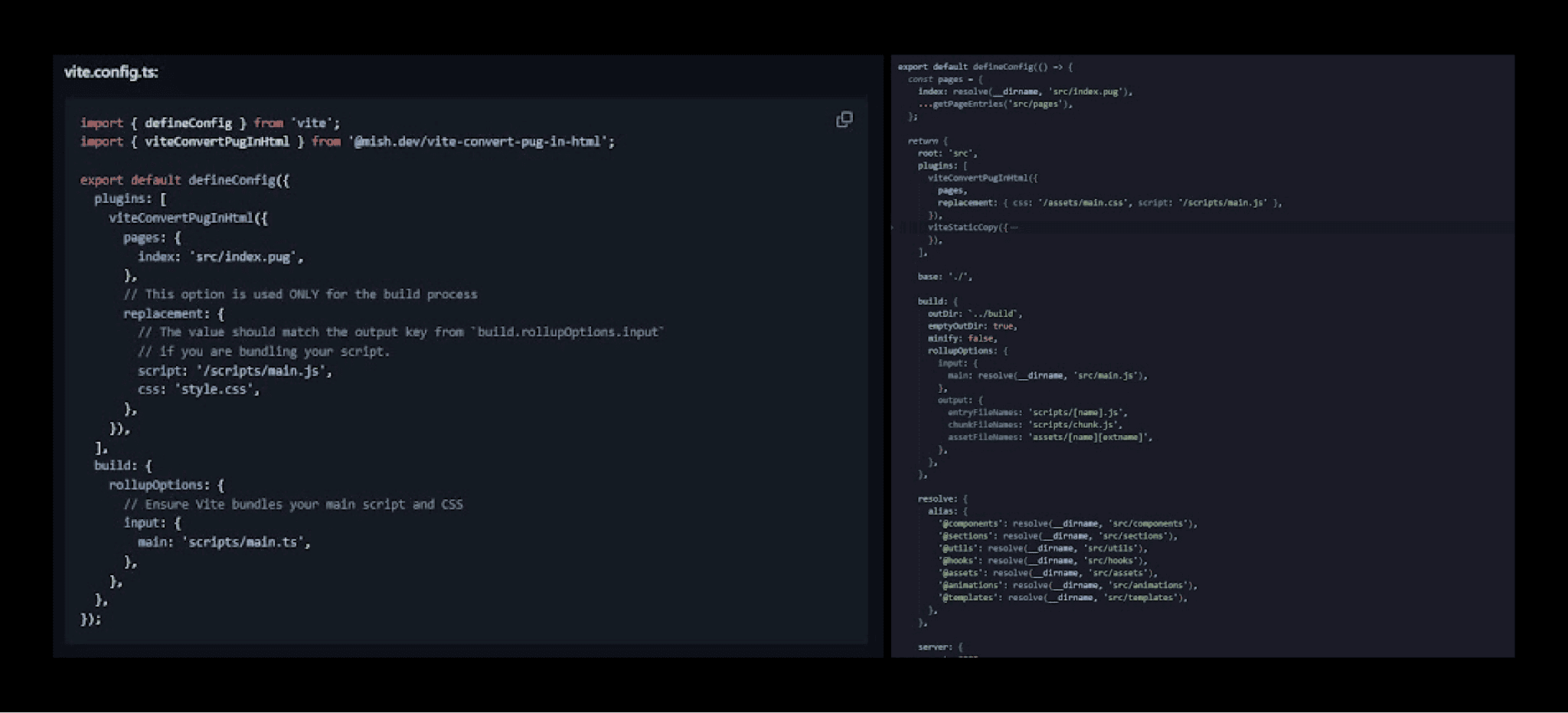
For version 1.21.1 and below, plugin configuration works like this:
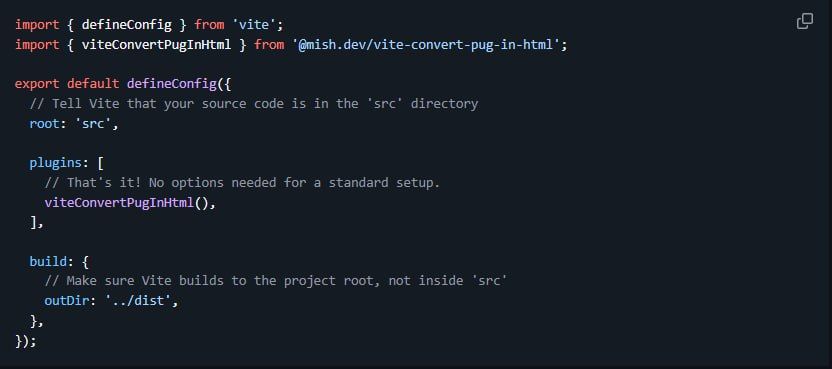
For version 2.0.0, we don't need to configure anything, just call the plugin.
Why the Plugin Is Useful
Now, let's understand why vite-convert-pug-in-html became an integral part of our workflow and what impact it can have on your projects.
1. Simple Project Structure
No more bulky HTML wrappers; .pug automatically turns into clean HTML without unnecessary workarounds. All pages are stored in one place with obvious nesting.
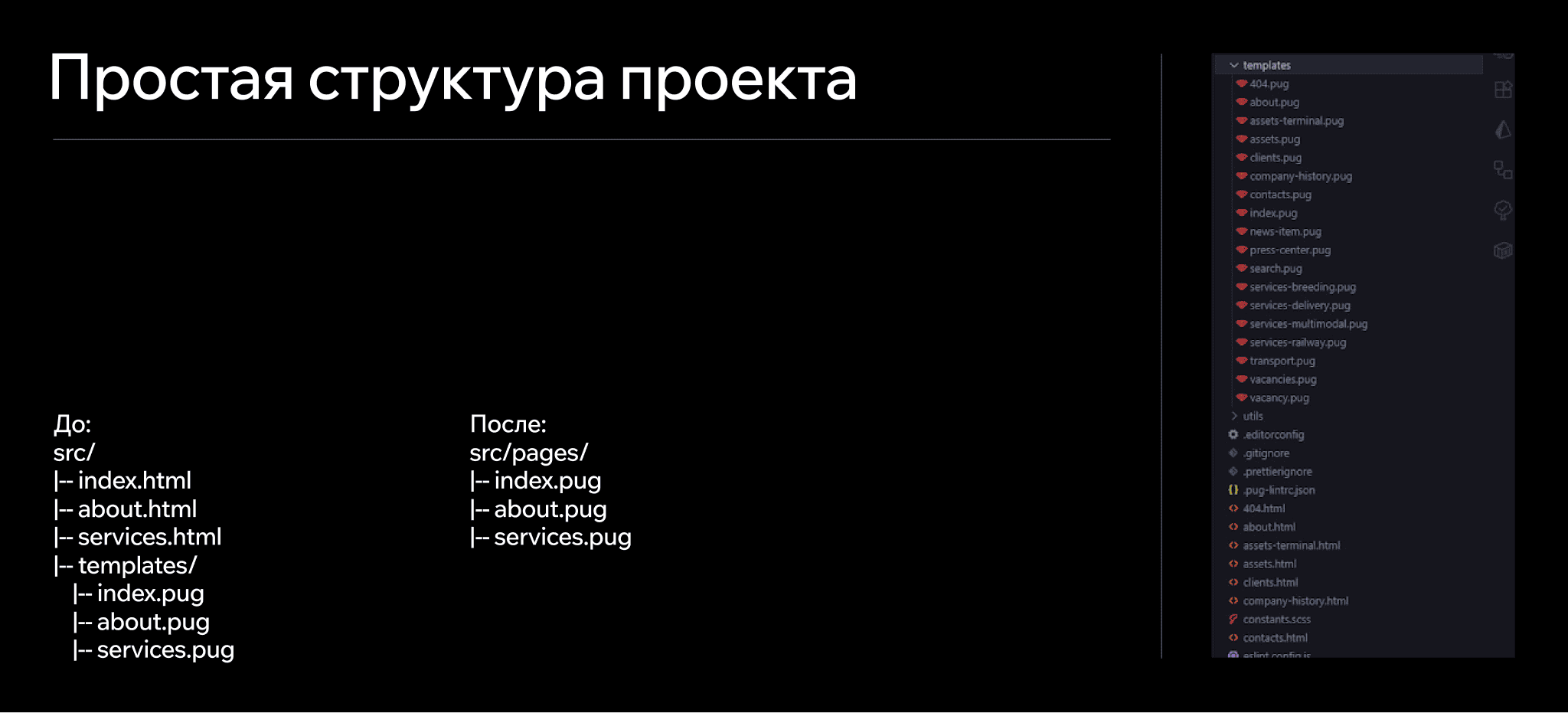
This is especially useful on large projects where hundreds of files can confuse even experienced developers.
2. Hot Module Replacement (HMR)
Every change you make in .pug is instantly reflected in the browser. This significantly speeds up debugging. Forget about reloading the page, auto-updating is our holy grail.
3. Goodbye to URL "Tails"
Thanks to the plugin, in production, your pages will look neat. Instead of https://example.com/about.htm, you'll have https://example.com/about. This is ideal for SEO and a smooth user experience.
4. Time Savings
You no longer waste time configuring paths for CSS and JS. All links are automatically adjusted as needed, the plugin handles it for you.
5. Alias Support
You no longer spend time on relative paths. Just define aliases in the Vite config and use them in .pug files.
Why We Decided to Share This Solution
For us at Mish, open source isn't just about code, it's about culture. We share tools that make work easier, save time, and make the development process more comfortable. This is because we use these very tools every day ourselves. The vite-convert-pug-in-html plugin is our internal development that has proven itself so well that we decided to share it. It's important to us that other developers experience the same convenience that we now enjoy.
How to Install?
If working with Pug and Vite has caused you as much trouble as it once did for me, then try the vite-convert-pug-in-html plugin to get rid of this headache. It simplifies life, speeds up work, and eliminates routine tasks.
- Install the plugin via npm: npm install @mish.dev/vite-convert-pug-in-html
- Configure vite.config.js as shown in the example above
- You're all set! Launch your project and easily configure the structure
For a more detailed look at the plugin, including all available settings and configurations, check the documentation on npm or the repository on GitHub.
Bye-Bye Manual Work, Hello Priorities
Dealing with Pug and Vite can and should be simple, without chaos and unnecessary workarounds. For Mish, this plugin became that missing piece that allowed us to organize our structure properly. Now we save time, resources, and team attention, focusing on solving key tasks.
If you want to optimize your processes, reduce operational costs, and take development to a new level of efficiency, try the plugin on your projects.
Don't waste resources fighting inconvenience—choose tools that work for you.

More articles
Previous article
Outstaffing: Mish experience
My name is Misha, and I've been running the design studio Mish for almost three years. When I started my studio, I dreamed of big, exciting projects for my team. The thought of having to "rent out" any of my designers to client companies seemed completely unacceptable to me. But one practical experience completely changed my perspective on outstaffing.

Next article
A Small Solution for Big Goals
Remember when business chatbots were the trend, and every company rushed to launch its own digital assistant on Telegram, VK, or other platforms? Today, chatbots are just a basic cog in the customer communication machine. Users, meanwhile, have become more demanding — functionality alone isn’t enough anymore. They also expect great design and a pleasant experience. That’s where mini-apps come in. Let’s talk about what they are and how they help businesses grow.
